🦸 LA's print-rescue squad · Mon–Fri 8am–5pm · After hours? Email us. ✉ rentals@supertechs3.com☎ 1-877-293-2551
Home / Support
Tech Support

Printer Setup,
Solved.

Pick your machine to see step-by-step guides for installing the print driver, turning off 2-sided printing, and connecting to Wi-Fi.
Setup Guides

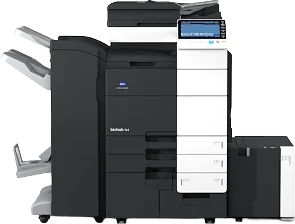
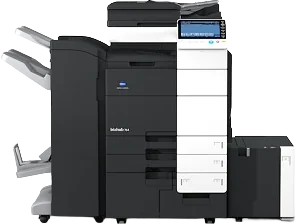
Konica bizhub C754e

Tip: You'll need the printer's IP address. On the printer, tap Utility → Device Information to find it.

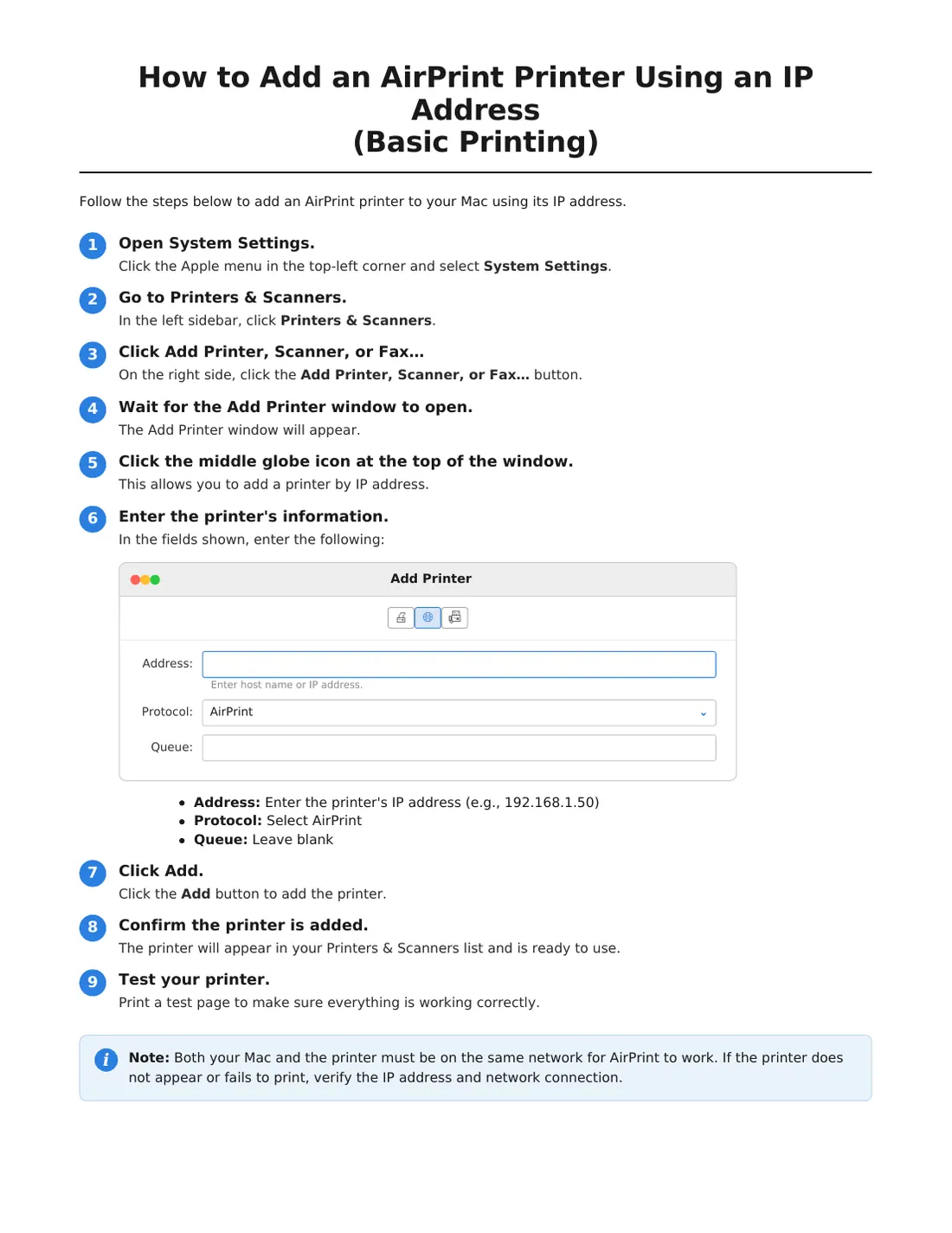
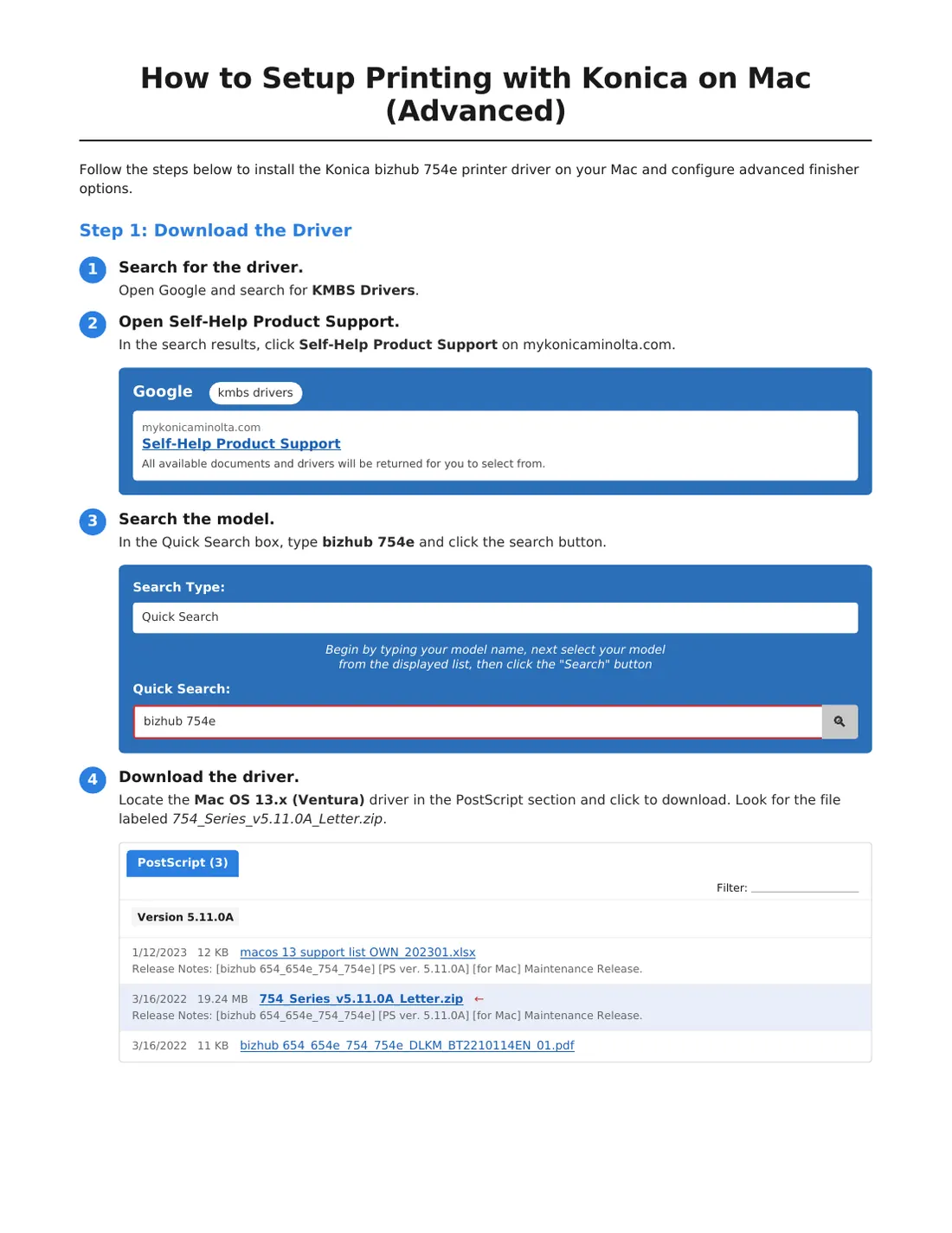
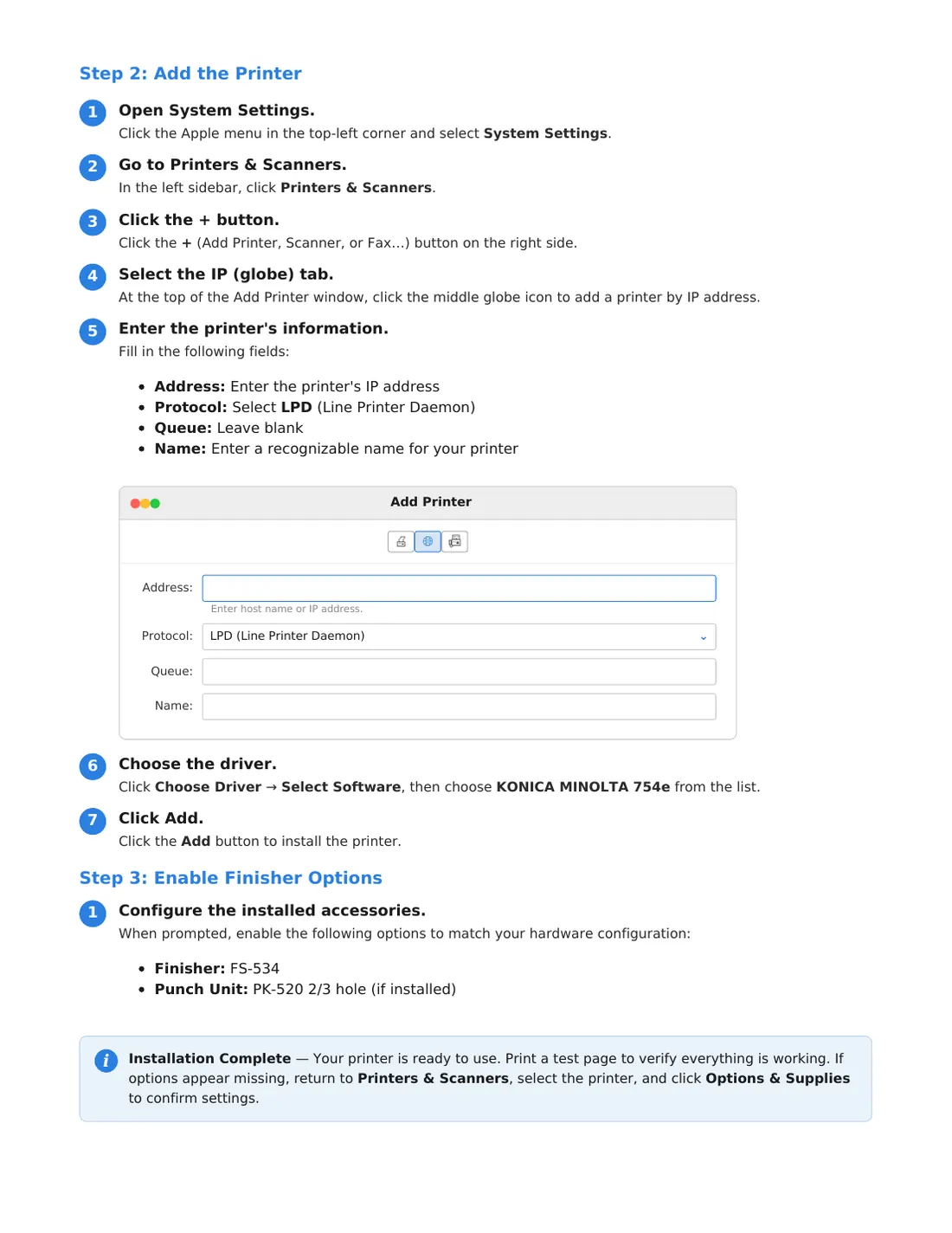
Install the print driver on a Mac

Add the printer by its IP address with AirPrint (basic printing), then install the full Konica driver.

⬇ Download PDF

Tap a page to open it full size, or download the PDF.
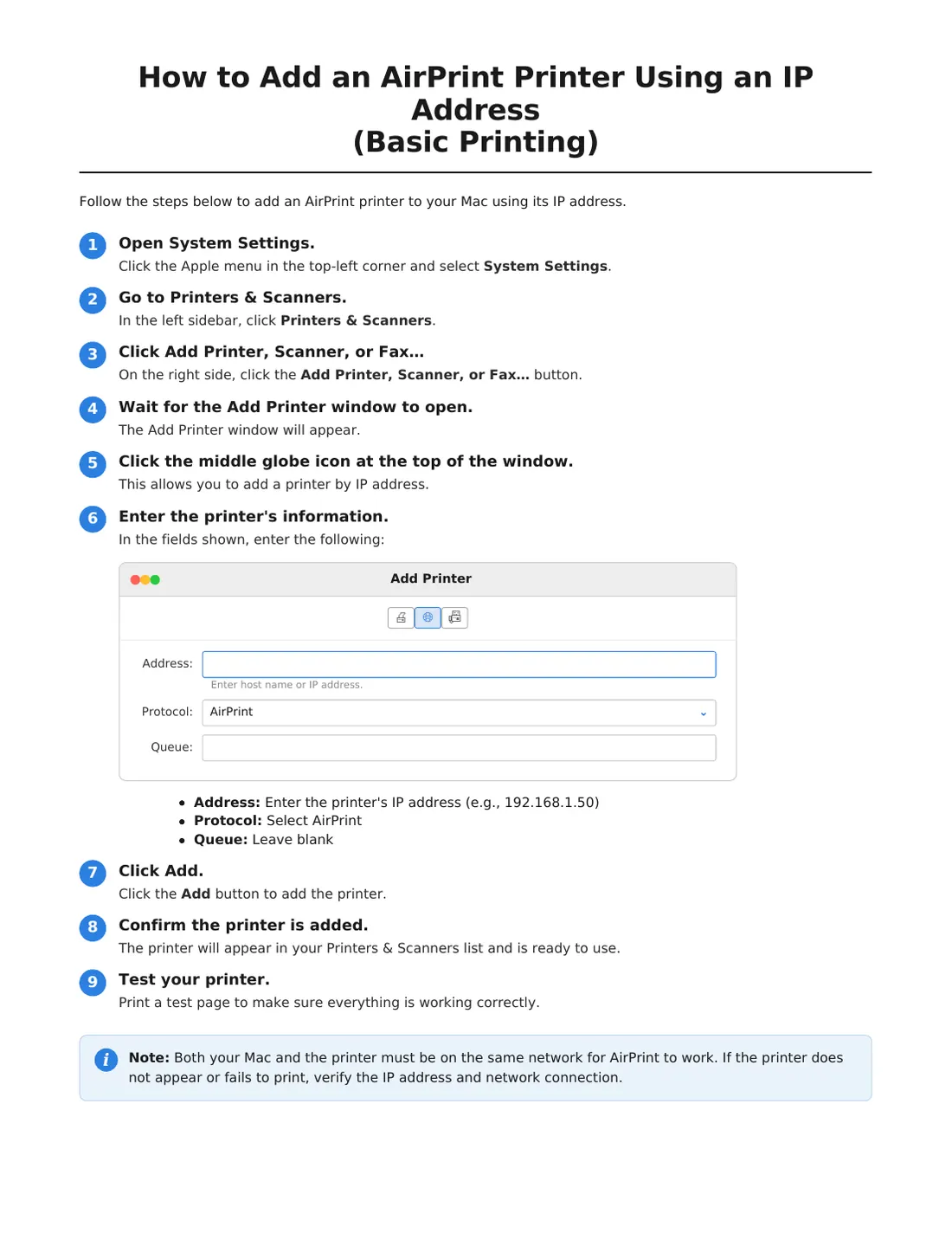
Install the print driver on a Mac for the Konica bizhub C754e, page 1 of 3Install the print driver on a Mac for the Konica bizhub C754e, page 2 of 3Install the print driver on a Mac for the Konica bizhub C754e, page 3 of 3

Install the print driver on a Windows 11 PC

Add the printer by its IP address (basic printing), then install the full Konica driver for more options.

⬇ Download PDF

Tap a page to open it full size, or download the PDF.
Install the print driver on a Windows 11 PC for the Konica bizhub C754e, page 1 of 3Install the print driver on a Windows 11 PC for the Konica bizhub C754e, page 2 of 3Install the print driver on a Windows 11 PC for the Konica bizhub C754e, page 3 of 3

Turn off 2-sided printing on a Mac

Set the printer's default to 1-sided using the macOS printer settings page (localhost:631).

⬇ Download PDF

Tap a page to open it full size, or download the PDF.
Turn off 2-sided printing on a Mac for the Konica bizhub C754e, page 1 of 7Turn off 2-sided printing on a Mac for the Konica bizhub C754e, page 2 of 7Turn off 2-sided printing on a Mac for the Konica bizhub C754e, page 3 of 7Turn off 2-sided printing on a Mac for the Konica bizhub C754e, page 4 of 7Turn off 2-sided printing on a Mac for the Konica bizhub C754e, page 5 of 7Turn off 2-sided printing on a Mac for the Konica bizhub C754e, page 6 of 7Turn off 2-sided printing on a Mac for the Konica bizhub C754e, page 7 of 7
Setup Guides

Konica bizhub 754e

Tip: You'll need the printer's IP address. On the printer, tap Utility → Device Information to find it.

Install the print driver on a Mac

Add the printer by its IP address with AirPrint (basic printing), then install the full Konica driver.

⬇ Download PDF

Tap a page to open it full size, or download the PDF.
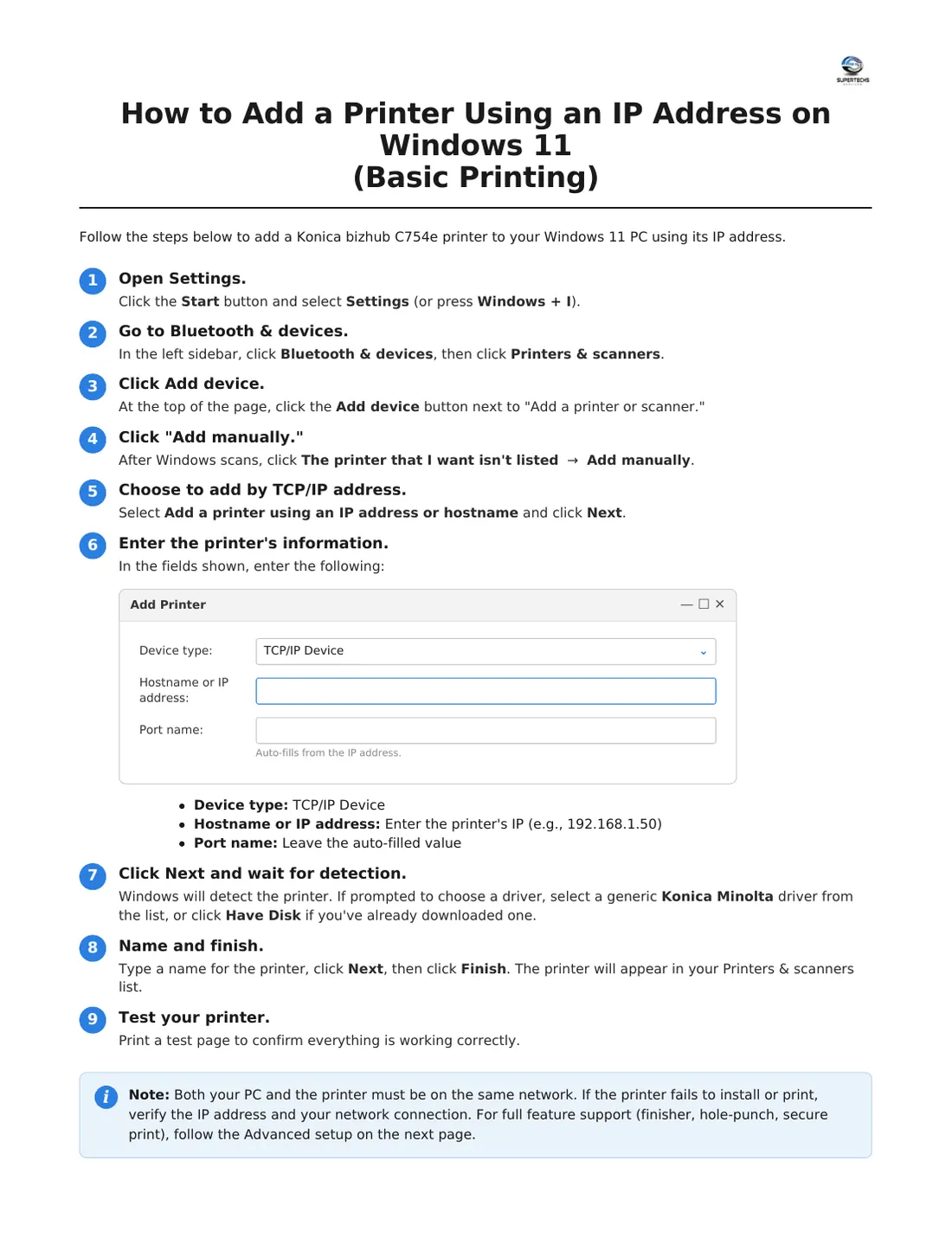
Install the print driver on a Mac for the Konica bizhub 754e, page 1 of 3Install the print driver on a Mac for the Konica bizhub 754e, page 2 of 3Install the print driver on a Mac for the Konica bizhub 754e, page 3 of 3

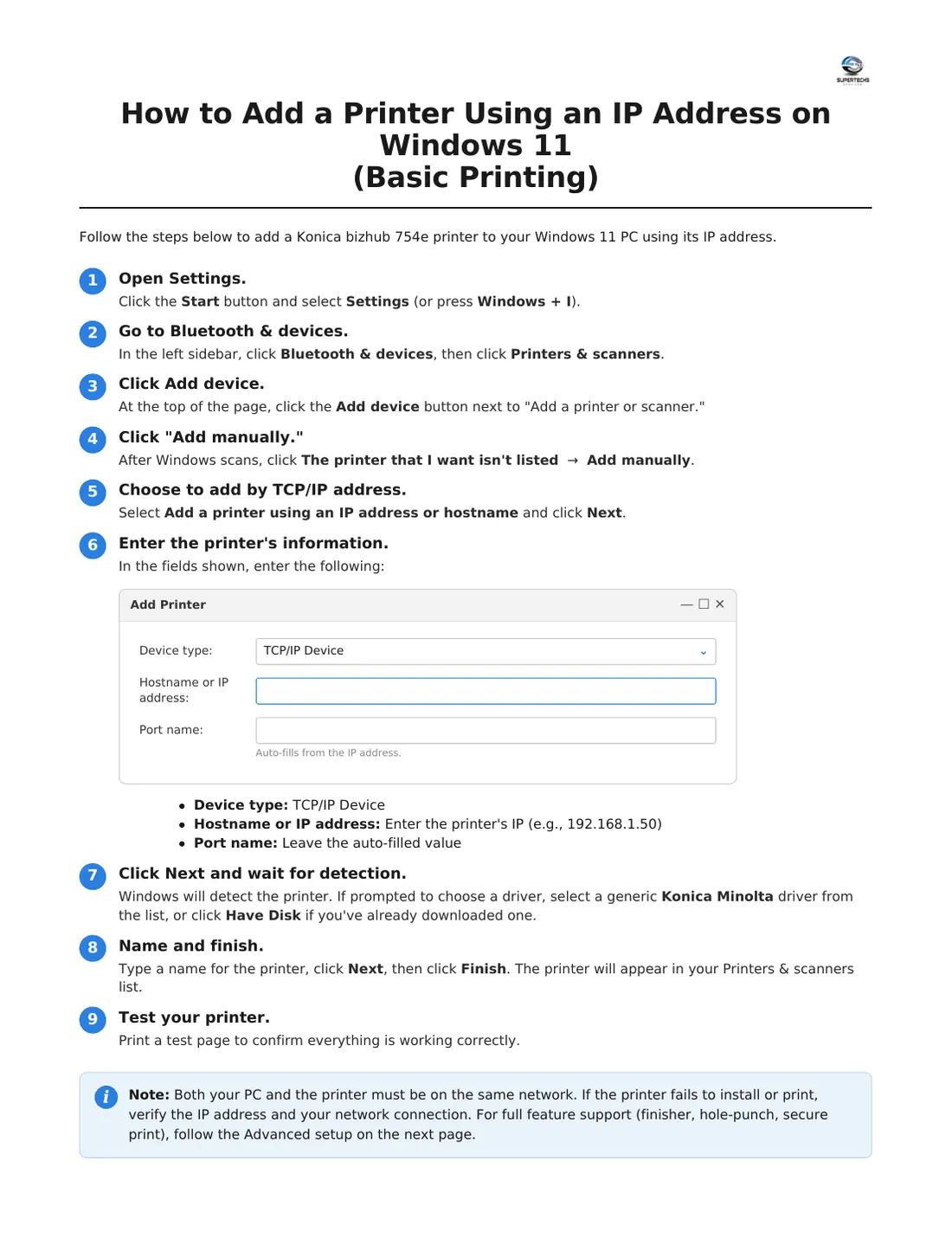
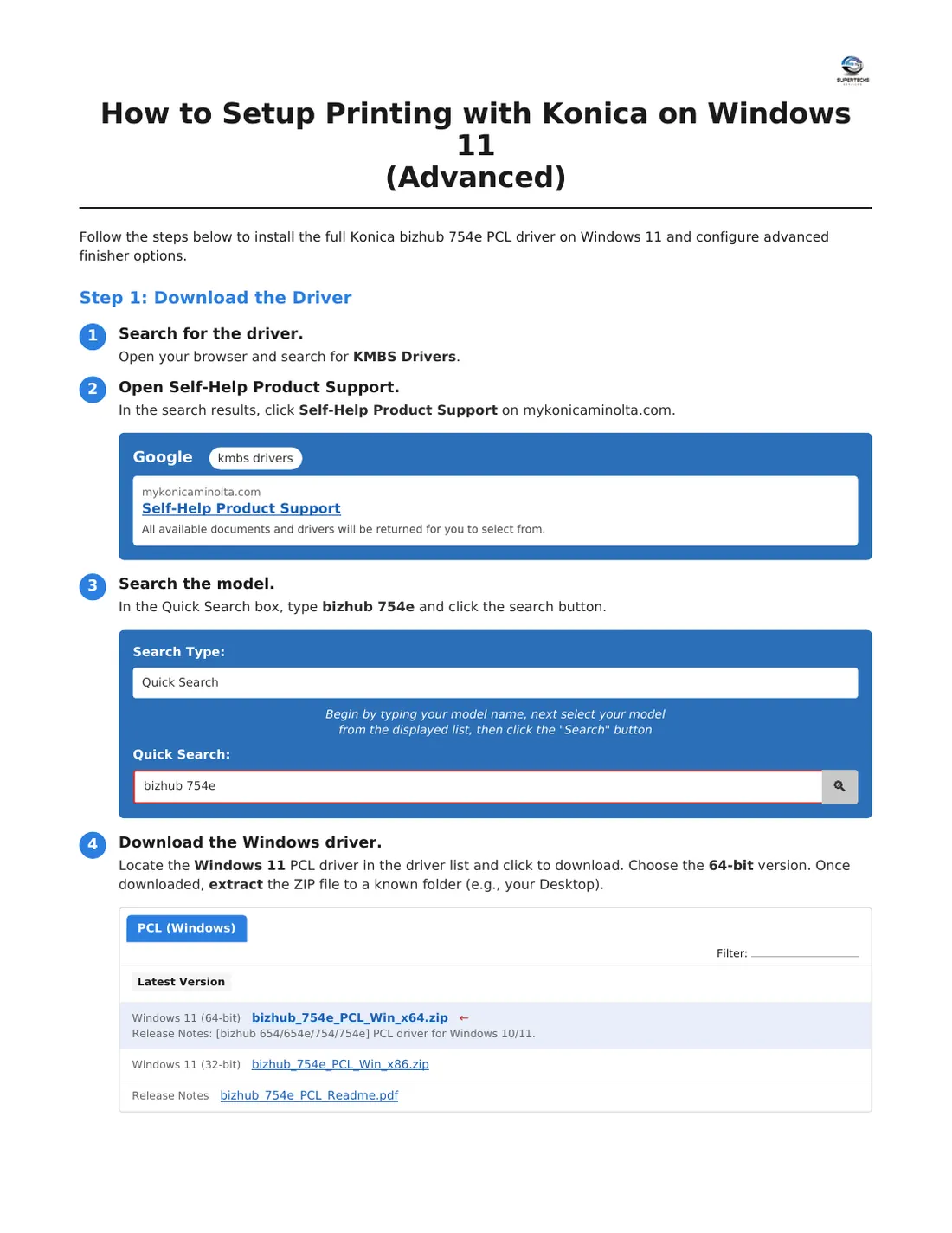
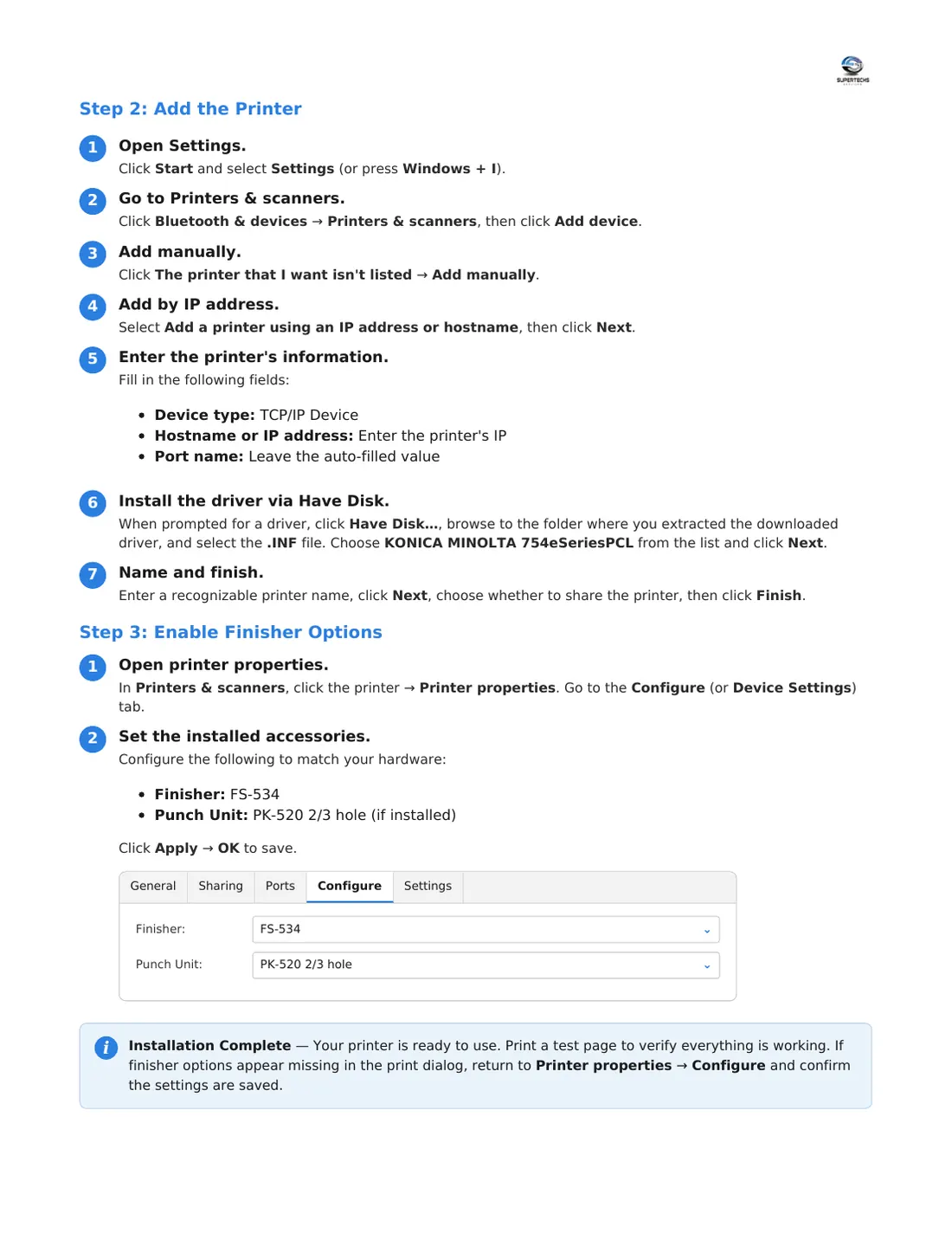
Install the print driver on a Windows 11 PC

Add the printer by its IP address (basic printing), then install the full Konica driver for more options.

⬇ Download PDF

Tap a page to open it full size, or download the PDF.
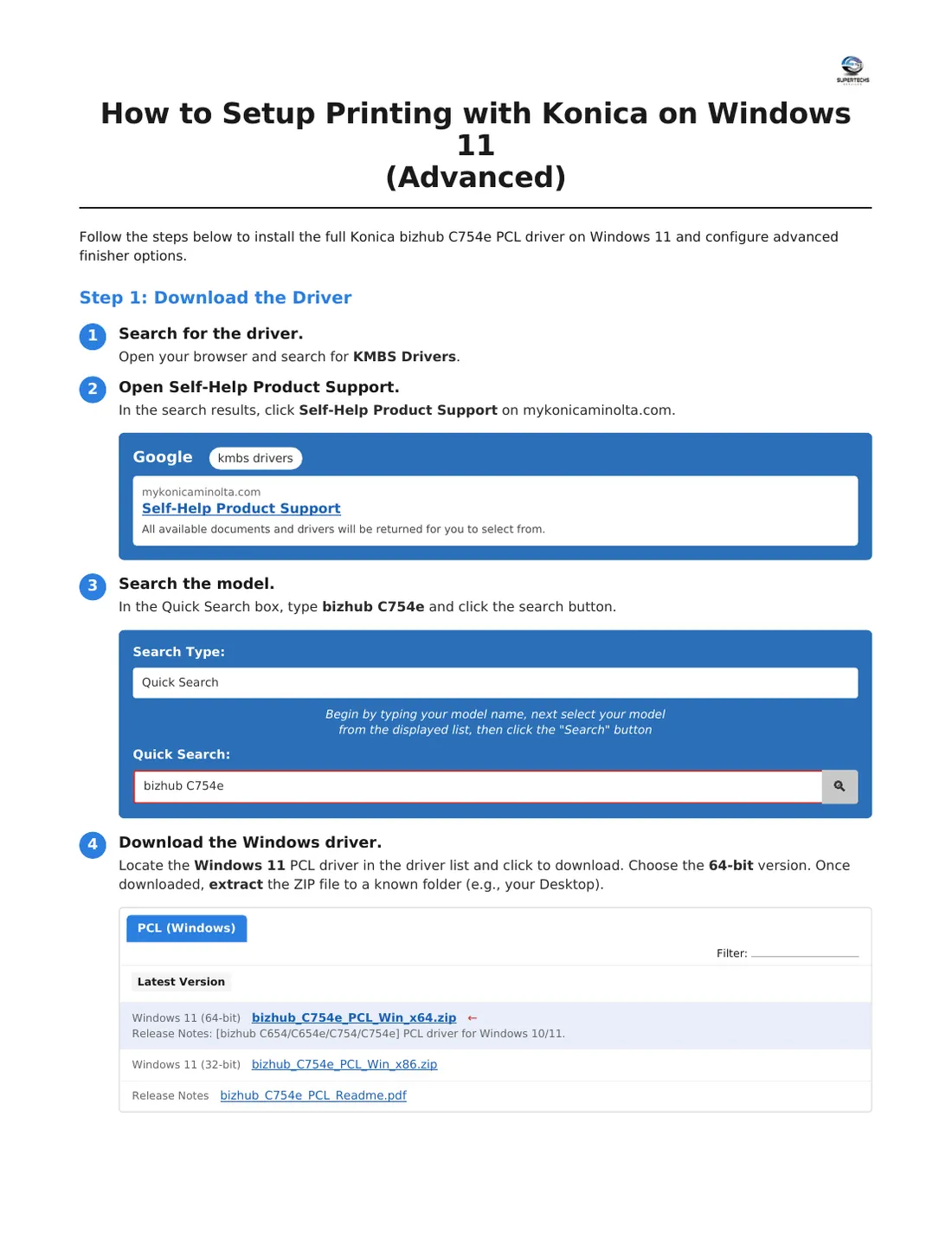
Install the print driver on a Windows 11 PC for the Konica bizhub 754e, page 1 of 3Install the print driver on a Windows 11 PC for the Konica bizhub 754e, page 2 of 3Install the print driver on a Windows 11 PC for the Konica bizhub 754e, page 3 of 3

Turn off 2-sided printing on a Mac

Set the printer's default to 1-sided using the macOS printer settings page (localhost:631).

⬇ Download PDF

Tap a page to open it full size, or download the PDF.
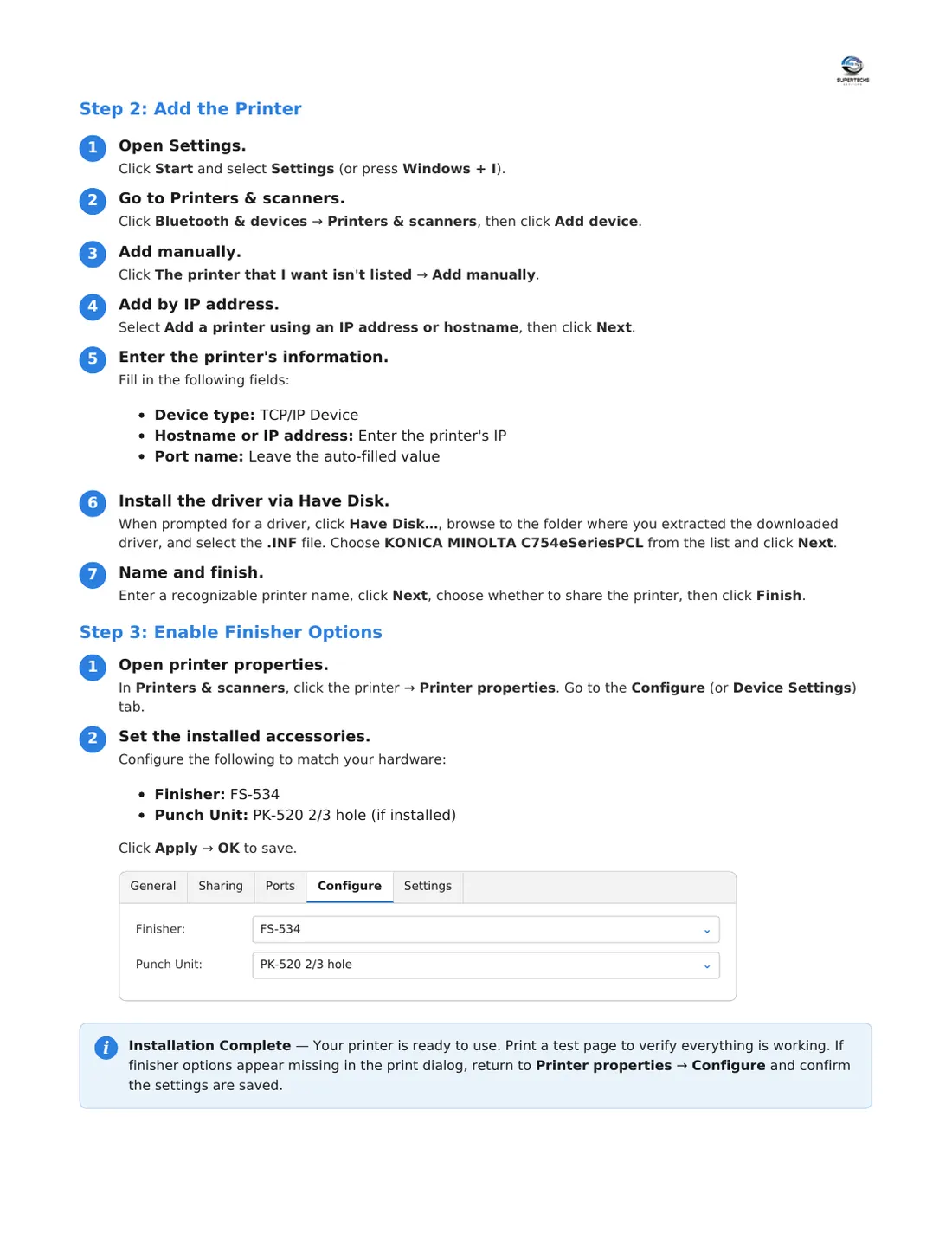
Turn off 2-sided printing on a Mac for the Konica bizhub 754e, page 1 of 7Turn off 2-sided printing on a Mac for the Konica bizhub 754e, page 2 of 7Turn off 2-sided printing on a Mac for the Konica bizhub 754e, page 3 of 7Turn off 2-sided printing on a Mac for the Konica bizhub 754e, page 4 of 7Turn off 2-sided printing on a Mac for the Konica bizhub 754e, page 5 of 7Turn off 2-sided printing on a Mac for the Konica bizhub 754e, page 6 of 7Turn off 2-sided printing on a Mac for the Konica bizhub 754e, page 7 of 7
Setup Guides

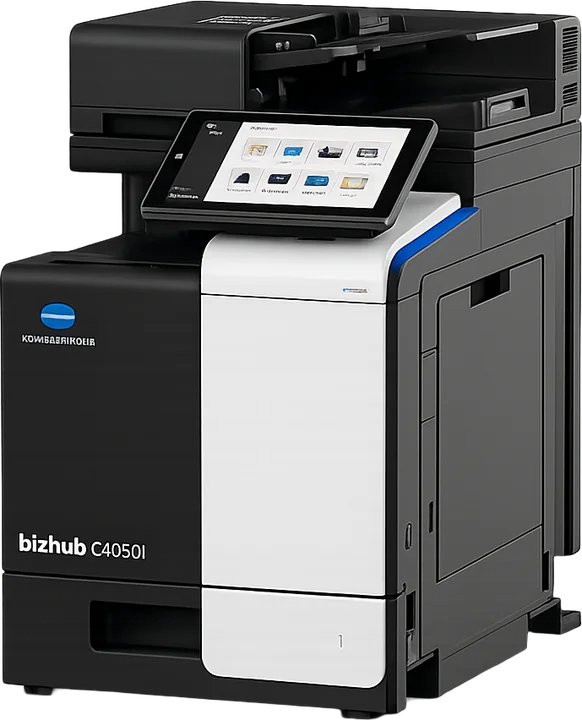
Konica bizhub C4050i

Tip: You'll need the printer's IP address. On the printer, tap Utility → Device Information to find it.

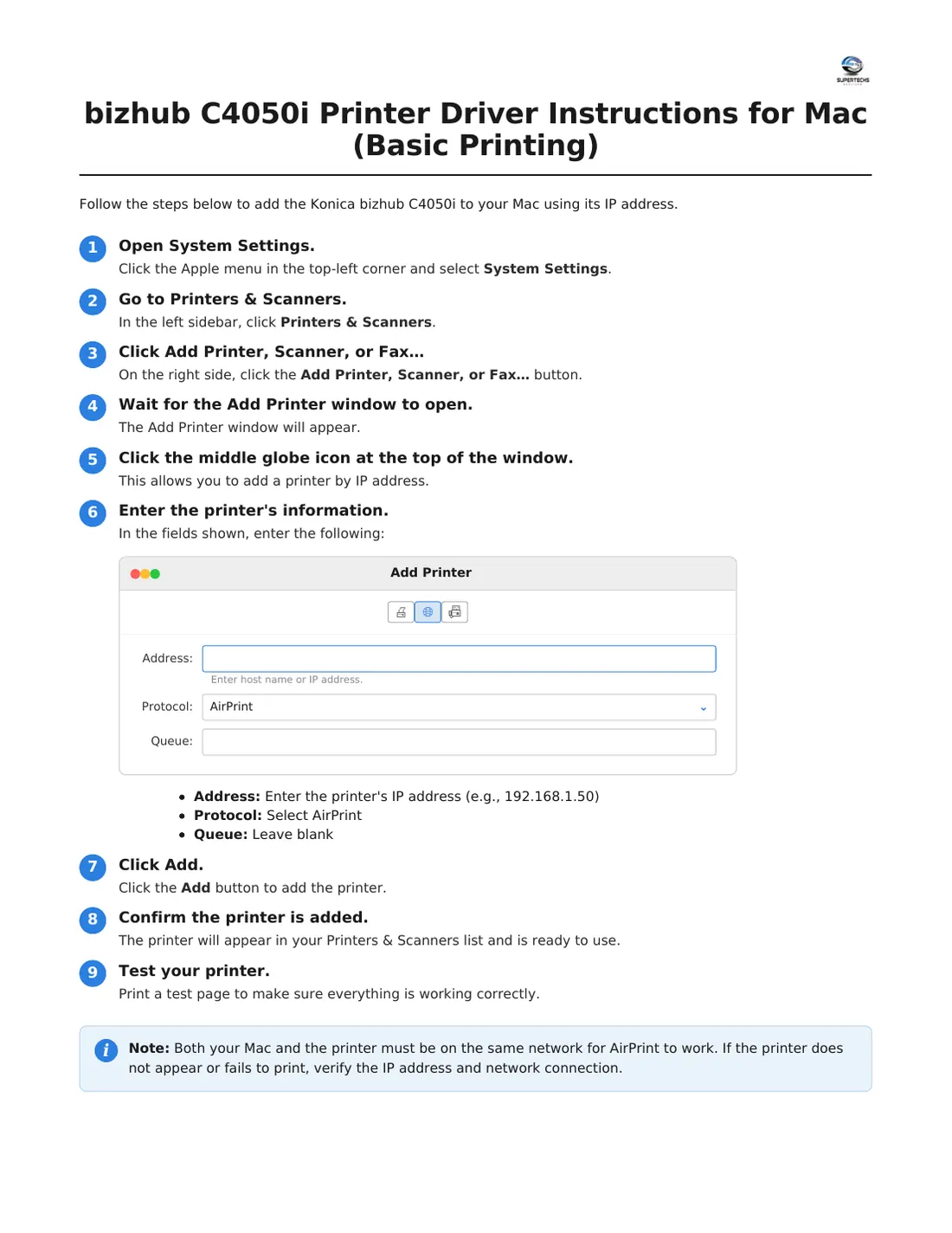
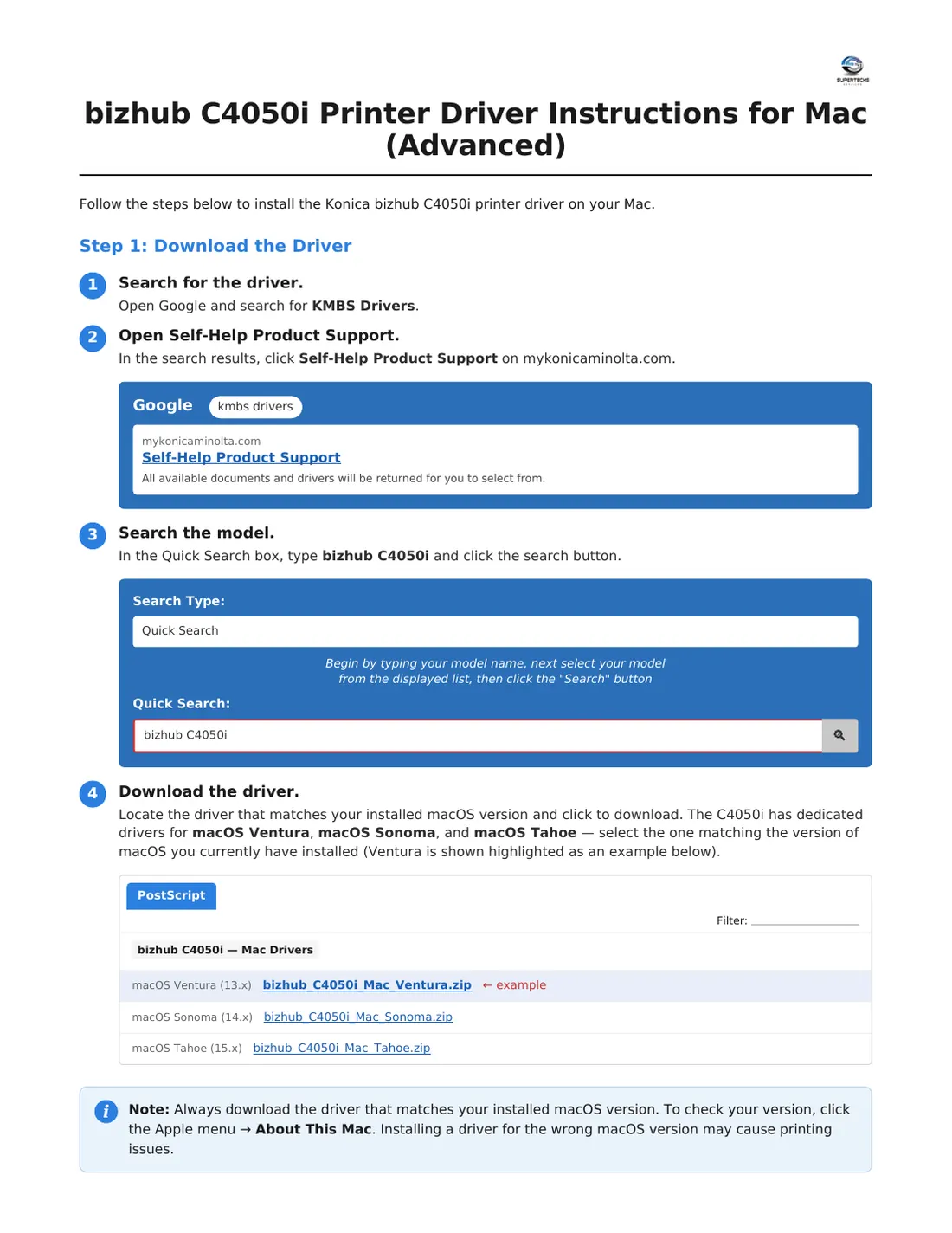
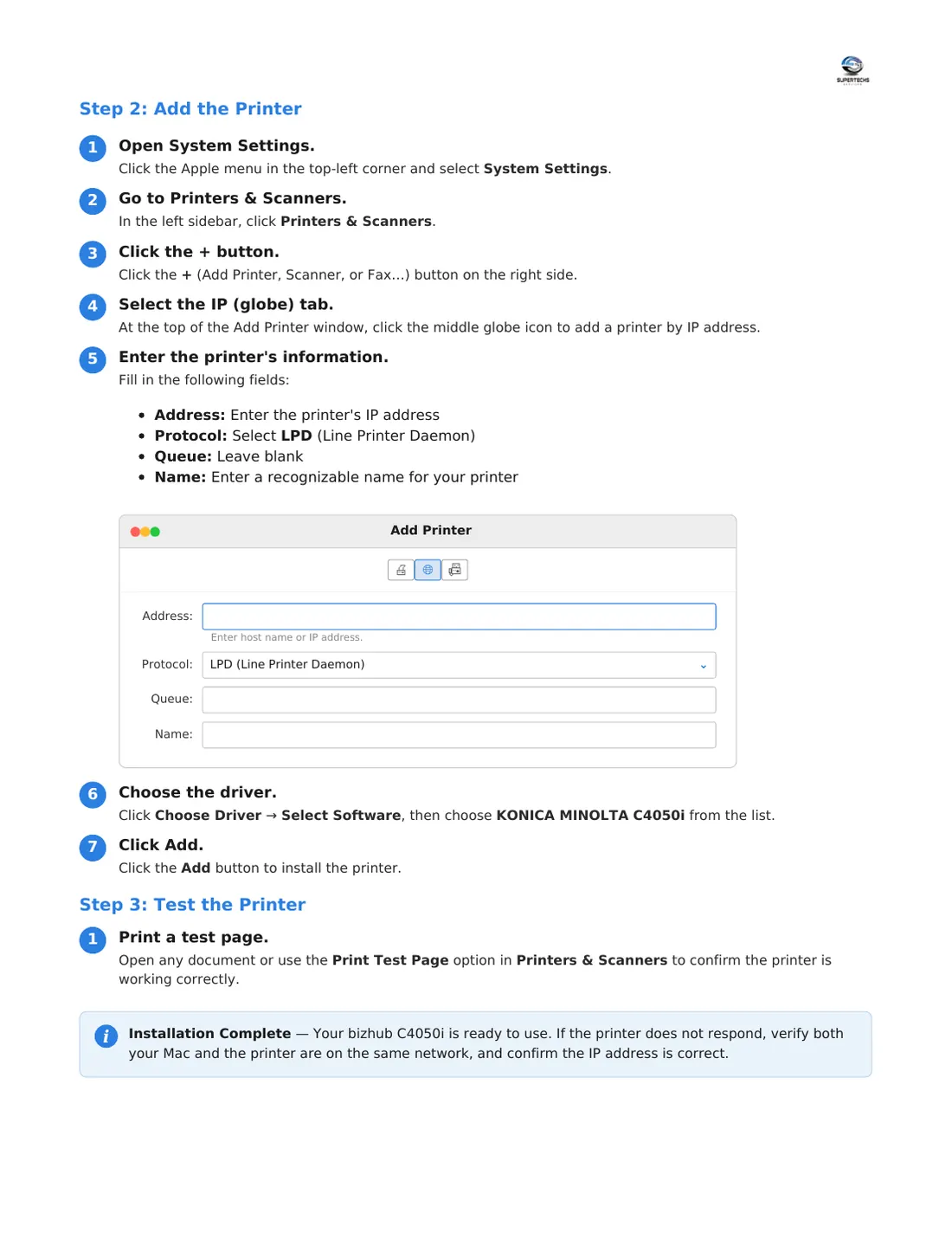
Install the print driver on a Mac

Add the printer by its IP address with AirPrint (basic printing), then install the full Konica driver.

⬇ Download PDF

Tap a page to open it full size, or download the PDF.
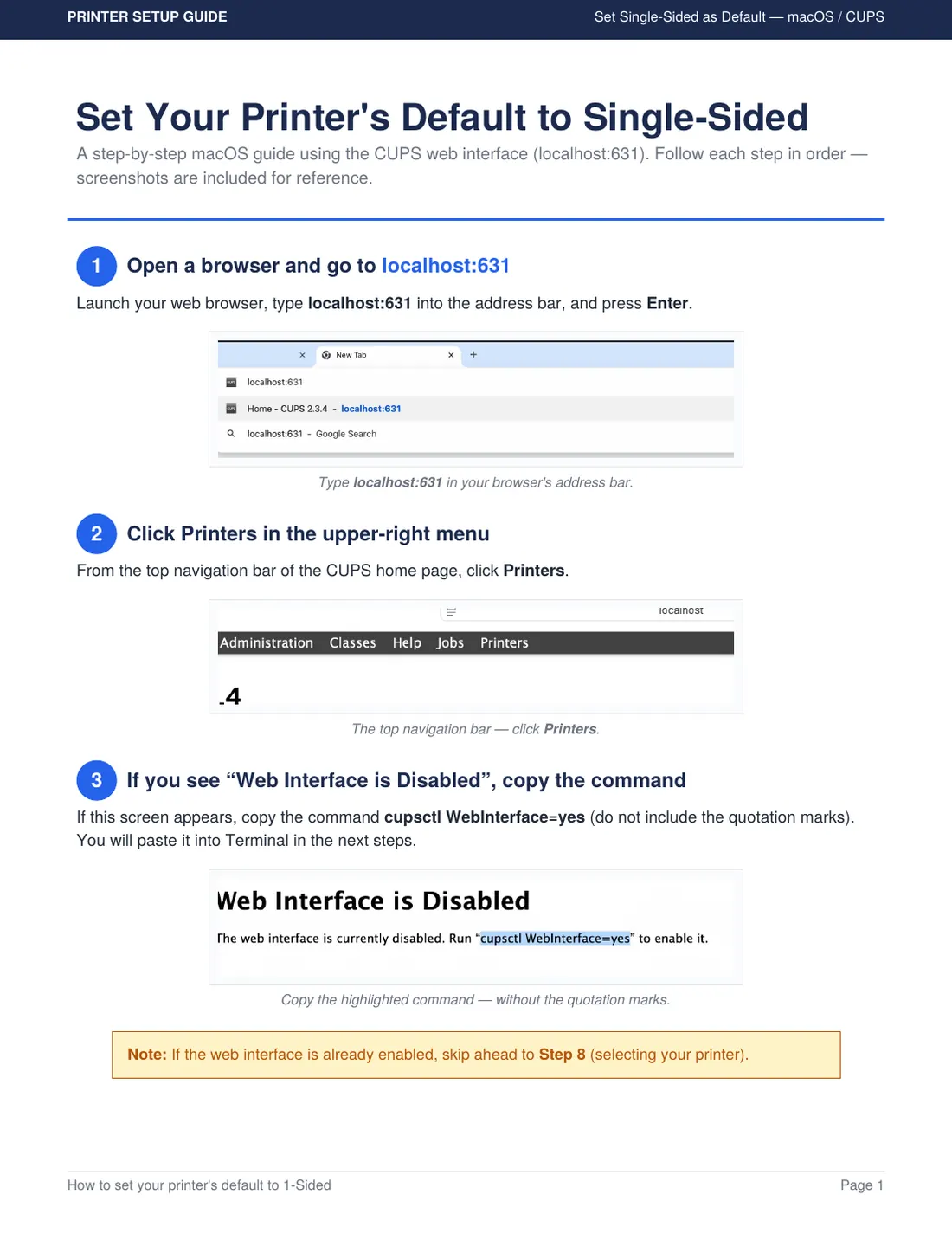
Install the print driver on a Mac for the Konica bizhub C4050i, page 1 of 3Install the print driver on a Mac for the Konica bizhub C4050i, page 2 of 3Install the print driver on a Mac for the Konica bizhub C4050i, page 3 of 3

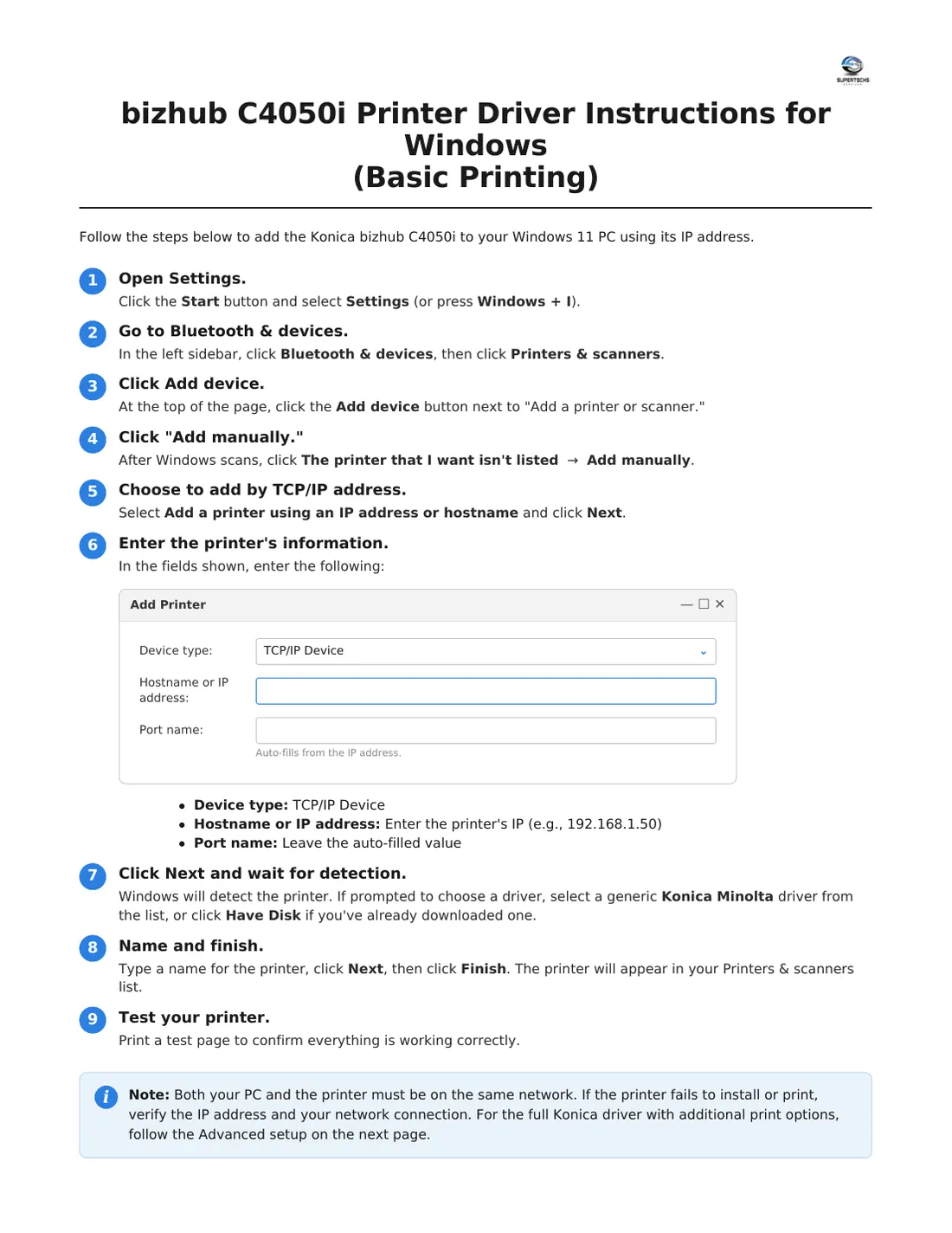
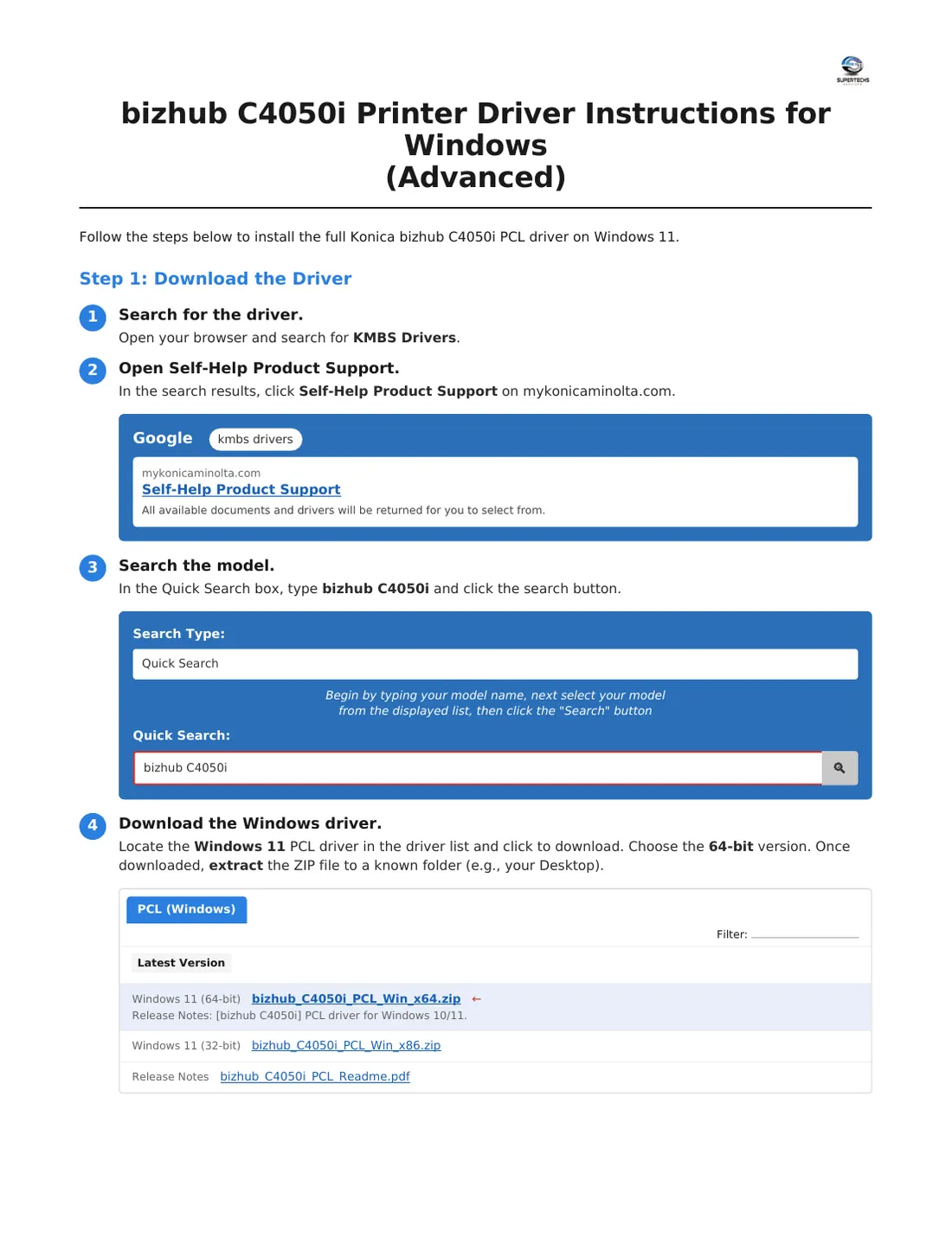
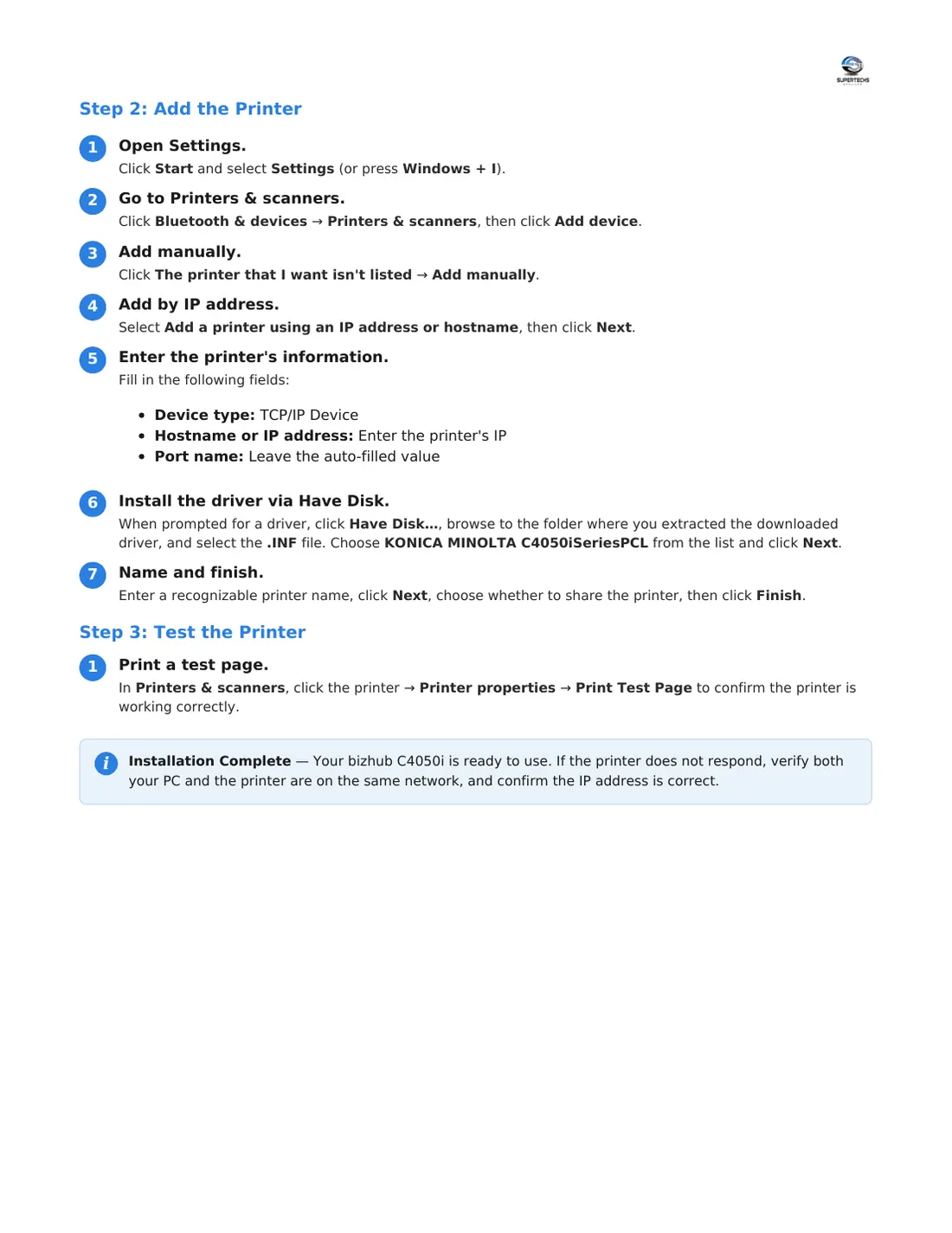
Install the print driver on a Windows 11 PC

Add the printer by its IP address (basic printing), then install the full Konica driver for more options.

⬇ Download PDF

Tap a page to open it full size, or download the PDF.
Install the print driver on a Windows 11 PC for the Konica bizhub C4050i, page 1 of 3Install the print driver on a Windows 11 PC for the Konica bizhub C4050i, page 2 of 3Install the print driver on a Windows 11 PC for the Konica bizhub C4050i, page 3 of 3

Turn off 2-sided printing on a Mac

Set the printer's default to 1-sided using the macOS printer settings page (localhost:631).

⬇ Download PDF

Tap a page to open it full size, or download the PDF.
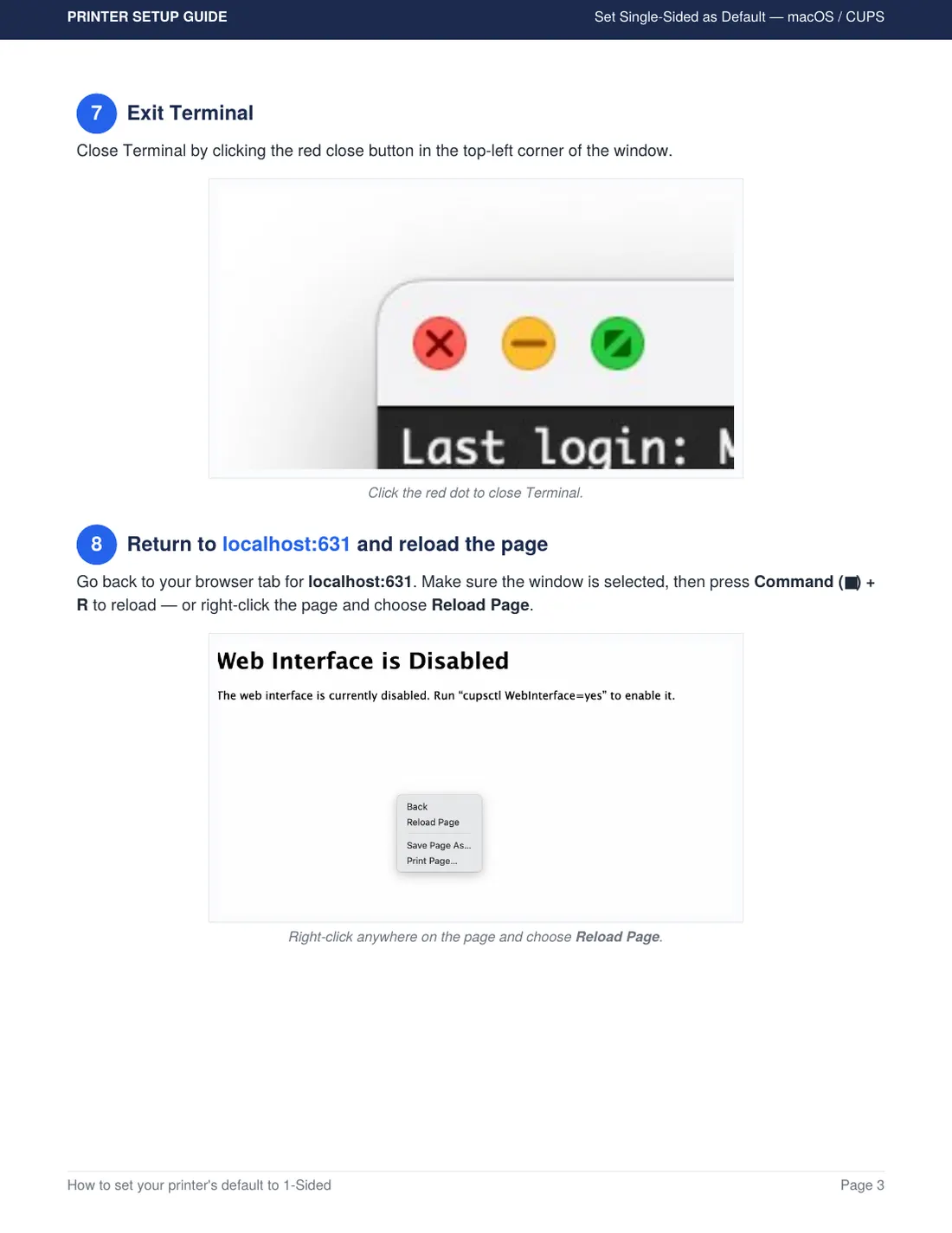
Turn off 2-sided printing on a Mac for the Konica bizhub C4050i, page 1 of 7Turn off 2-sided printing on a Mac for the Konica bizhub C4050i, page 2 of 7Turn off 2-sided printing on a Mac for the Konica bizhub C4050i, page 3 of 7Turn off 2-sided printing on a Mac for the Konica bizhub C4050i, page 4 of 7Turn off 2-sided printing on a Mac for the Konica bizhub C4050i, page 5 of 7Turn off 2-sided printing on a Mac for the Konica bizhub C4050i, page 6 of 7Turn off 2-sided printing on a Mac for the Konica bizhub C4050i, page 7 of 7

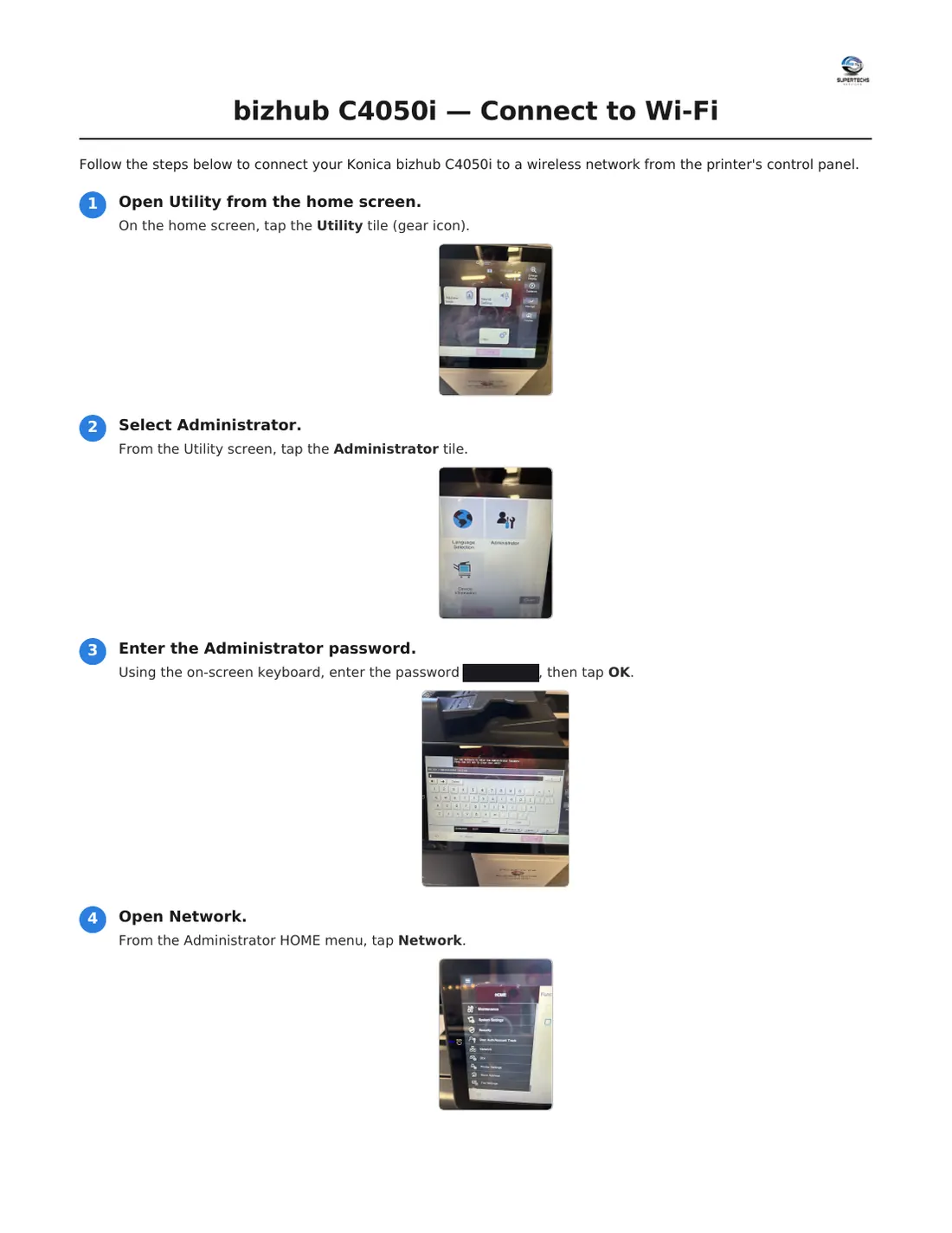
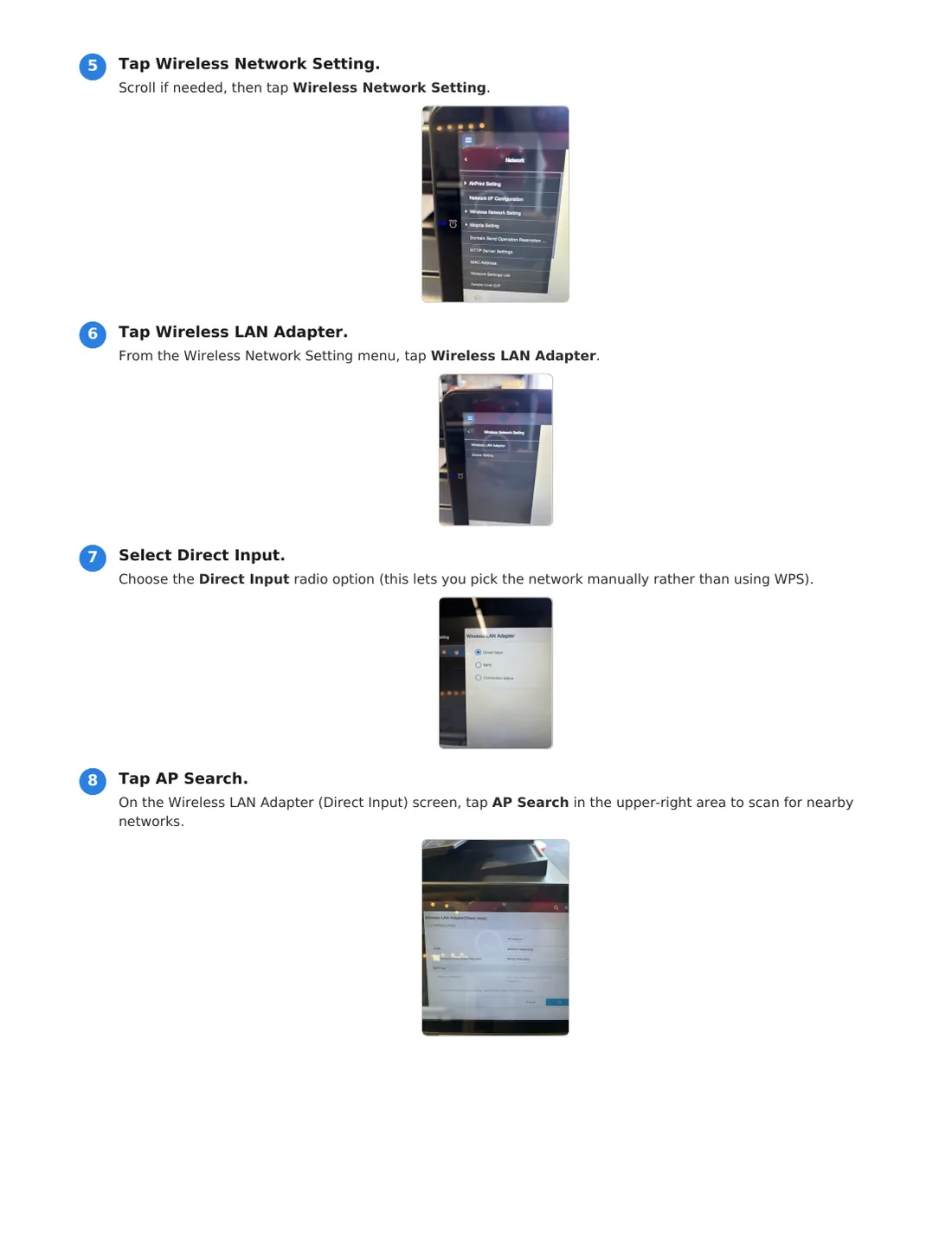
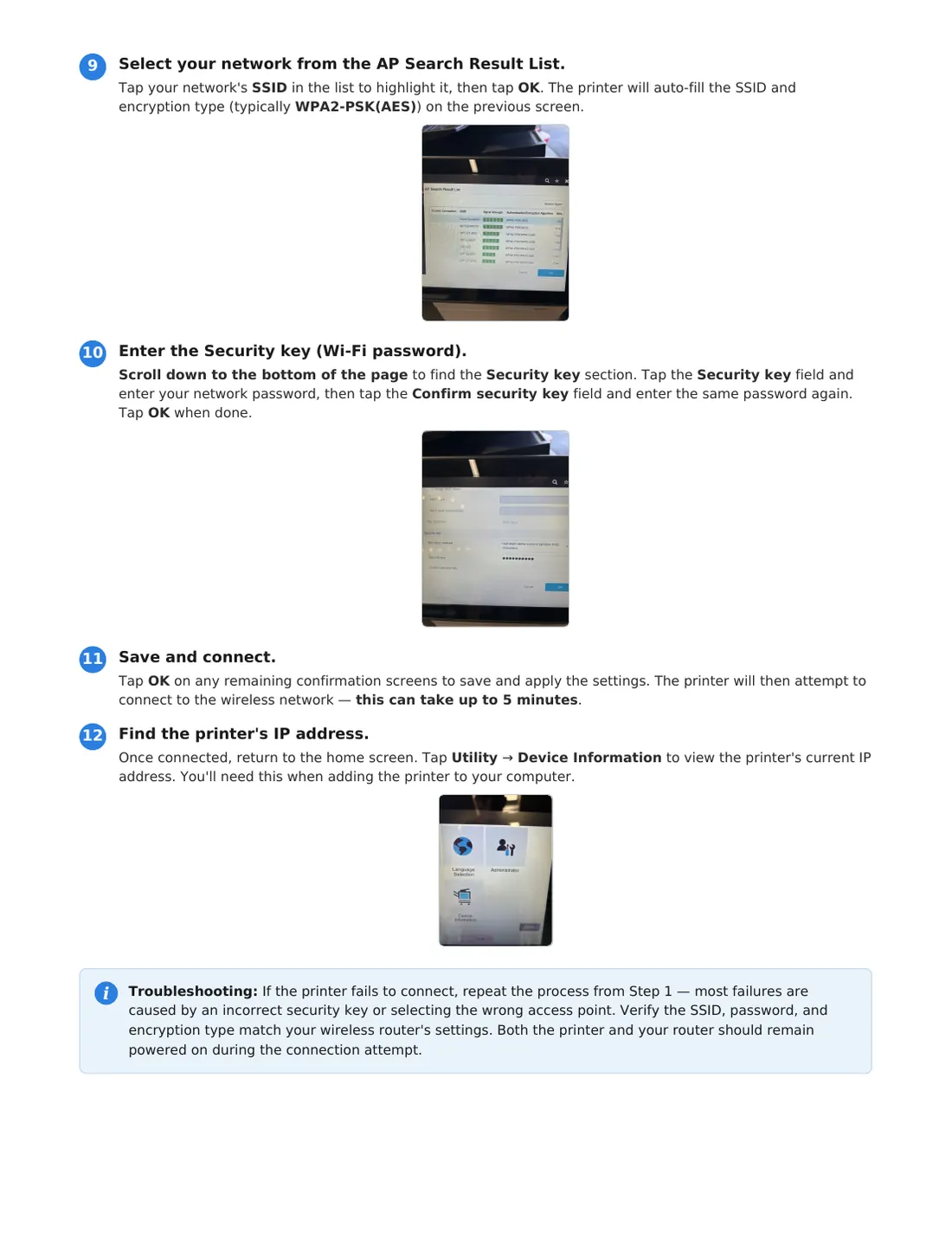
Connect the printer to Wi-Fi

Join your wireless network from the printer's touch screen, then find its IP address.

⬇ Download PDF

Tap a page to open it full size, or download the PDF.
Connect the printer to Wi-Fi for the Konica bizhub C4050i, page 1 of 3Connect the printer to Wi-Fi for the Konica bizhub C4050i, page 2 of 3Connect the printer to Wi-Fi for the Konica bizhub C4050i, page 3 of 3
Setup Guides

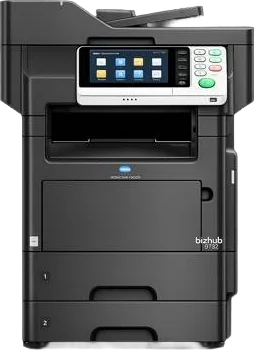
Konica bizhub 4752

Tip: You'll need the printer's IP address. On the printer, tap Utility → Device Information to find it.

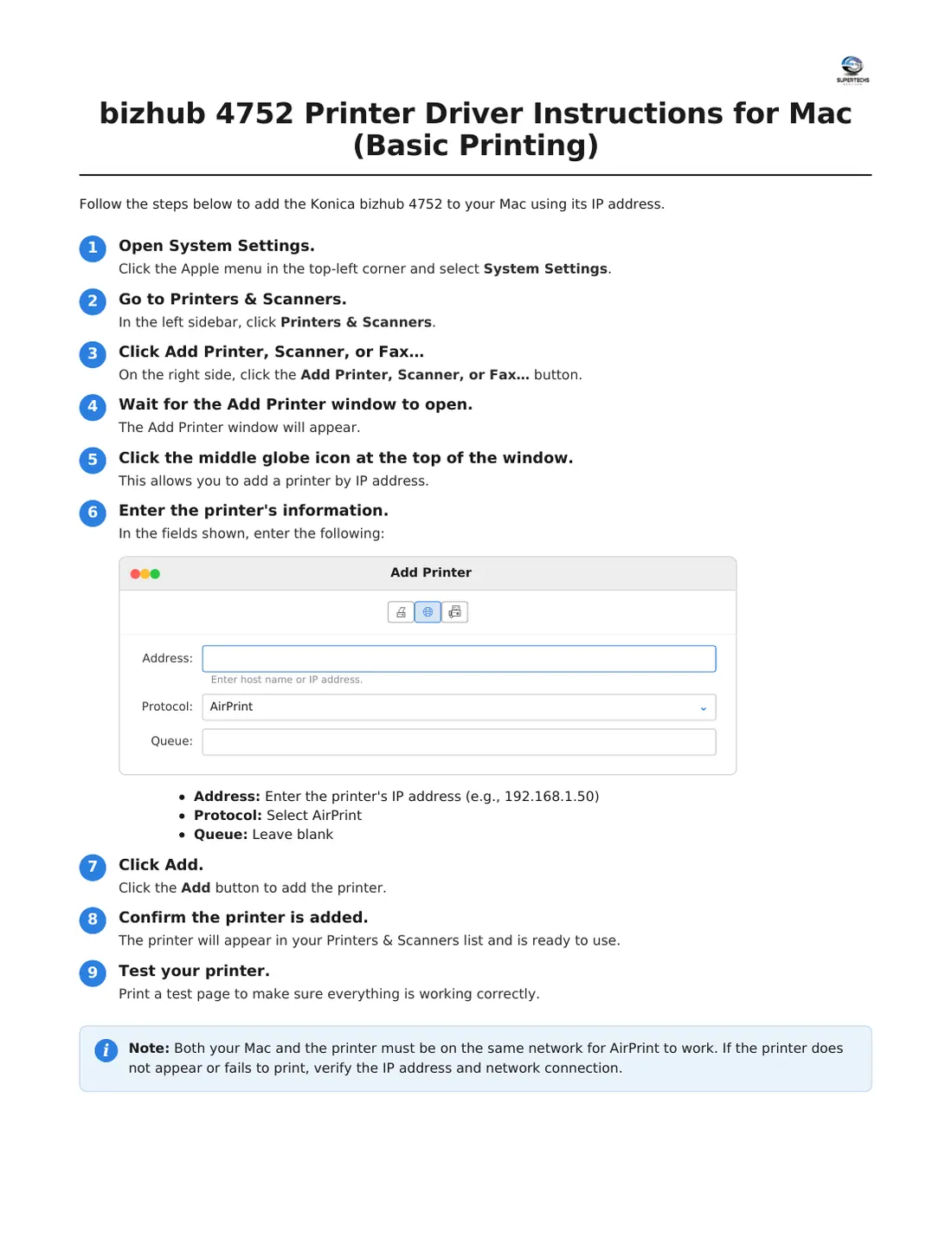
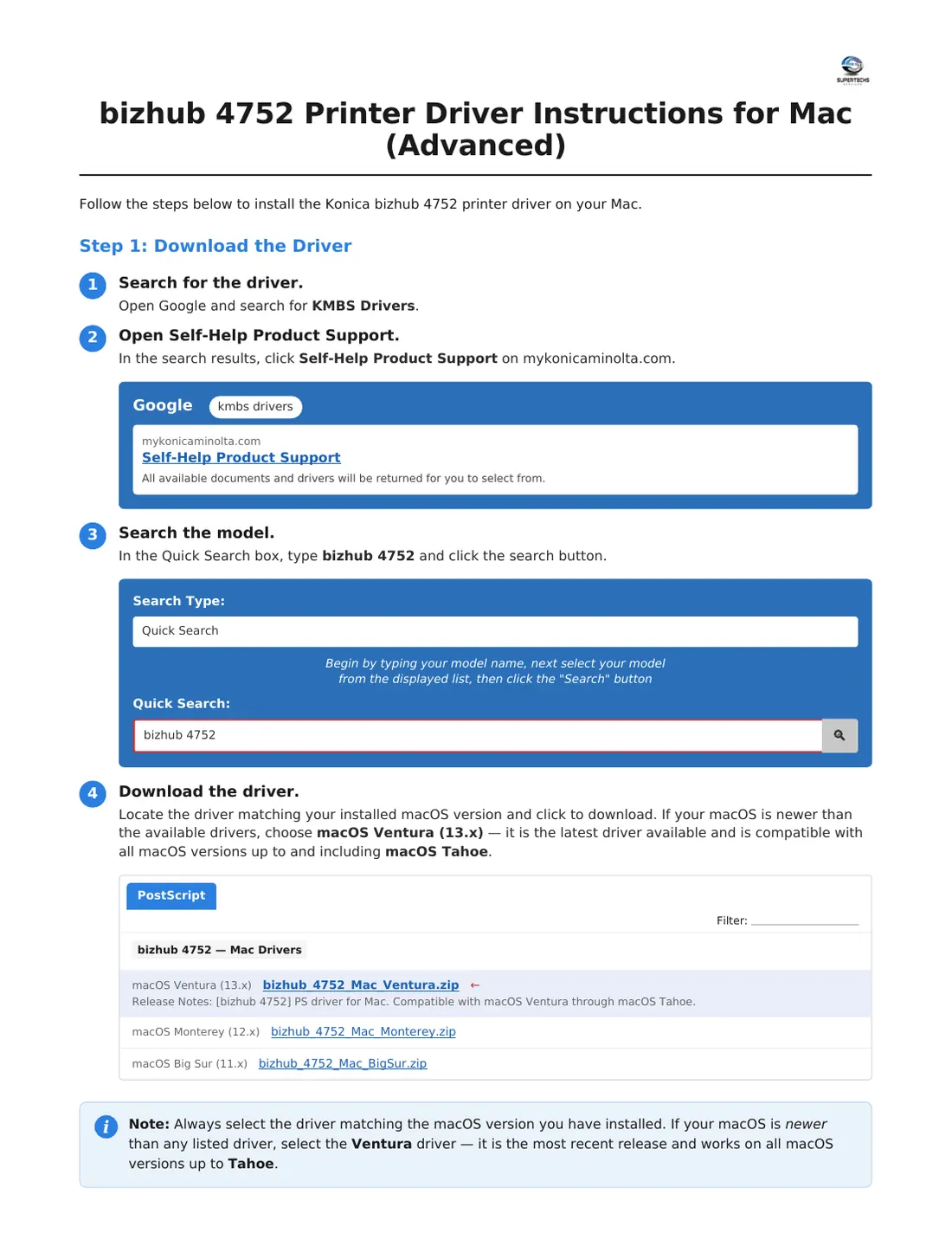
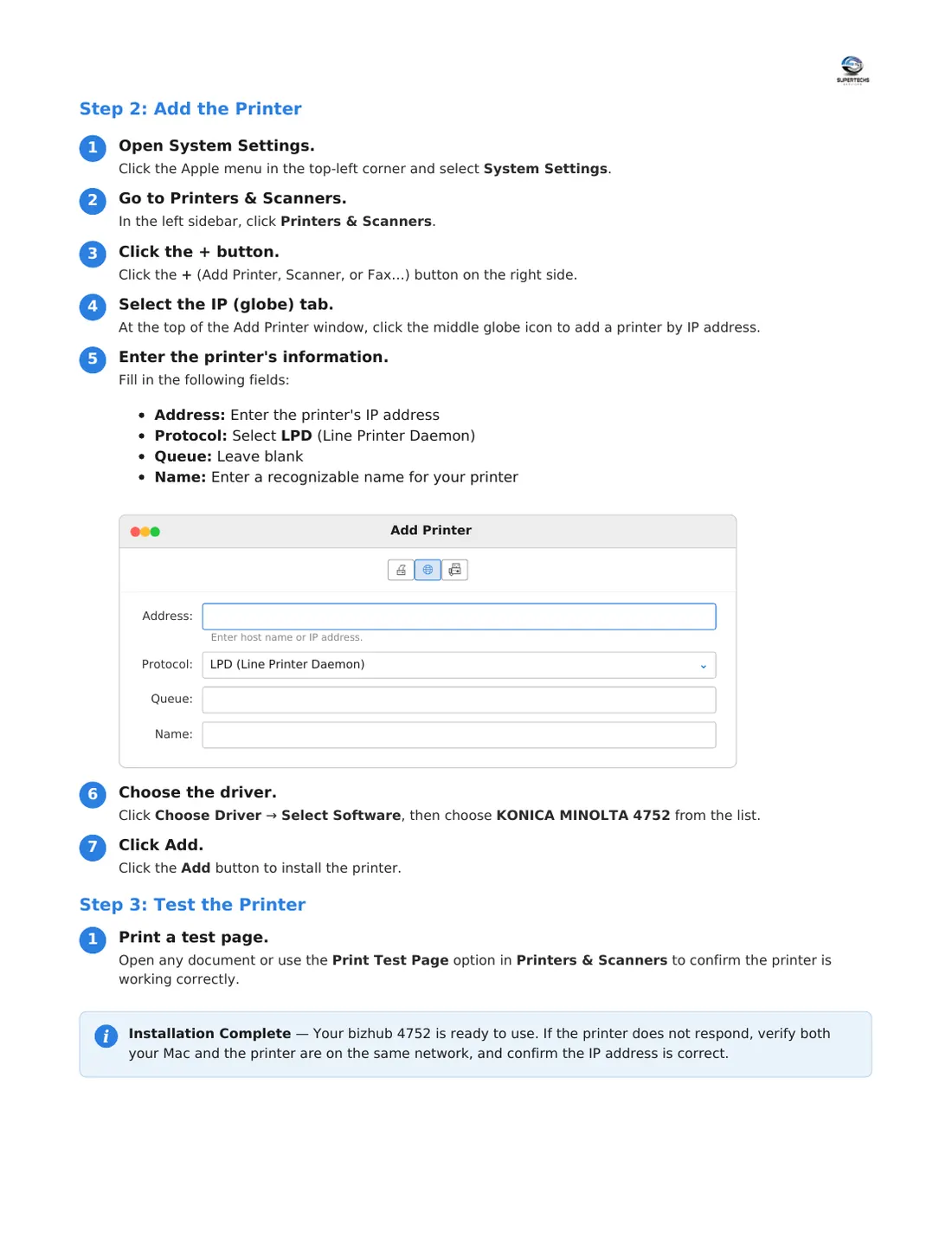
Install the print driver on a Mac

Add the printer by its IP address with AirPrint (basic printing), then install the full Konica driver.

⬇ Download PDF

Tap a page to open it full size, or download the PDF.
Install the print driver on a Mac for the Konica bizhub 4752, page 1 of 3Install the print driver on a Mac for the Konica bizhub 4752, page 2 of 3Install the print driver on a Mac for the Konica bizhub 4752, page 3 of 3

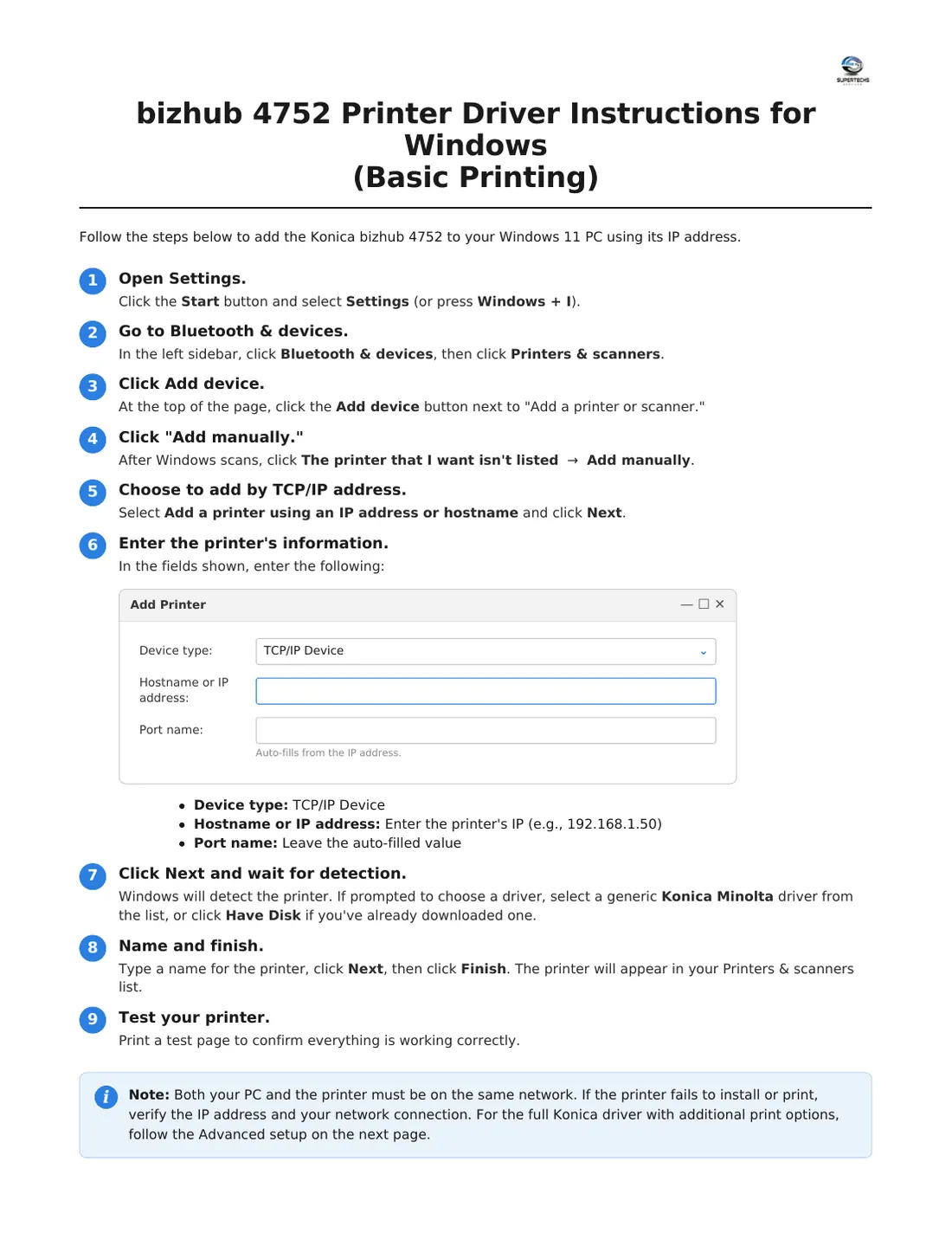
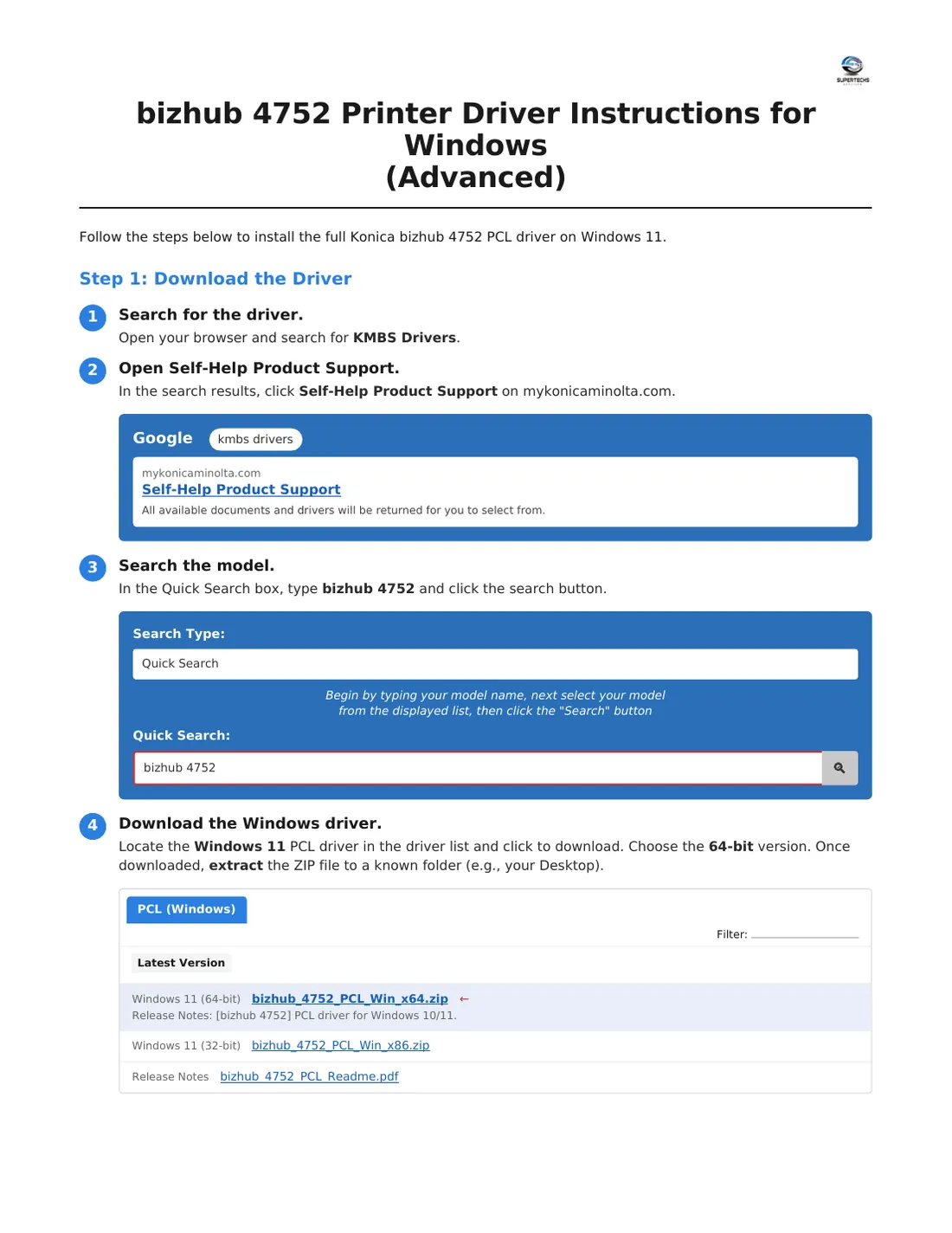
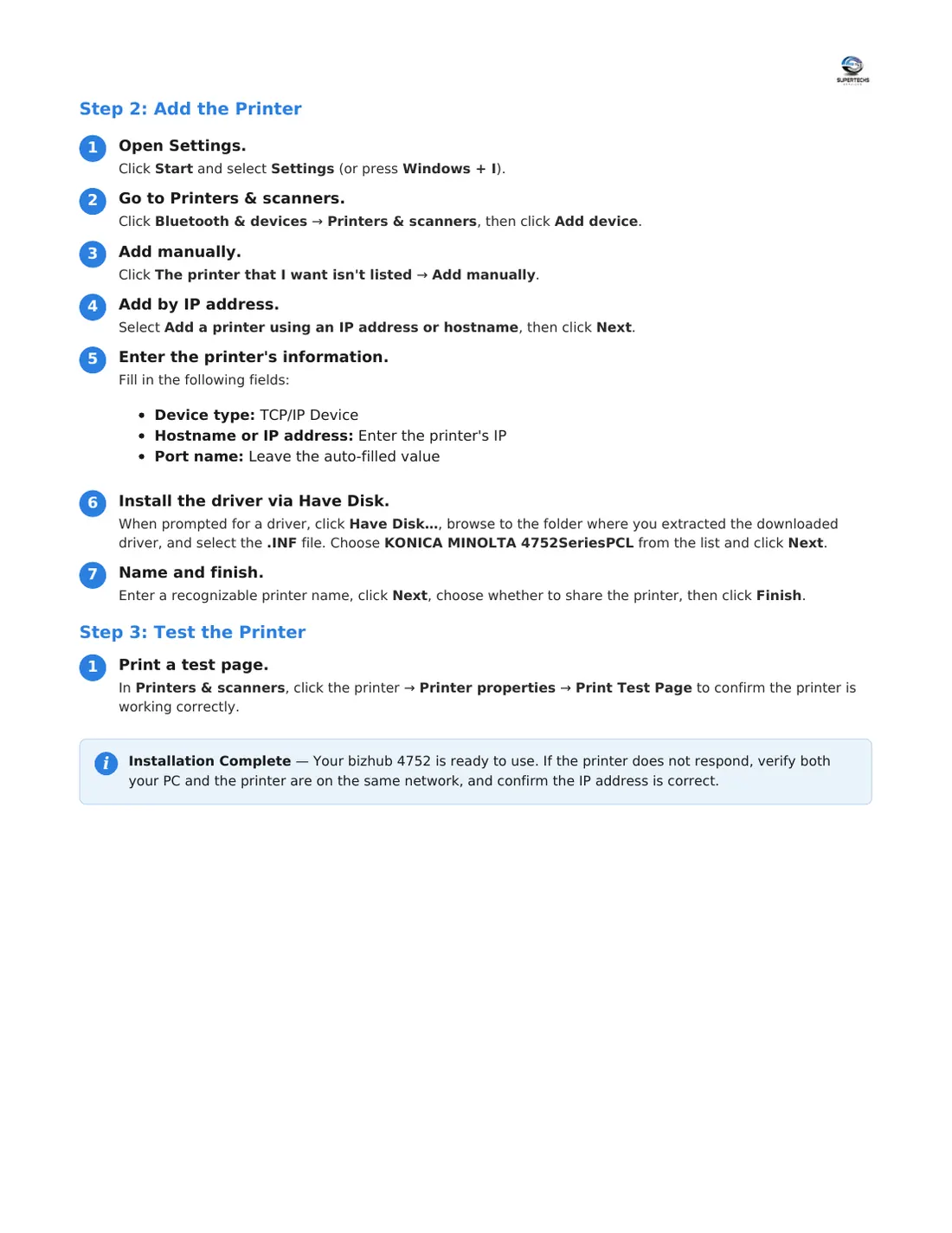
Install the print driver on a Windows 11 PC

Add the printer by its IP address (basic printing), then install the full Konica driver for more options.

⬇ Download PDF

Tap a page to open it full size, or download the PDF.
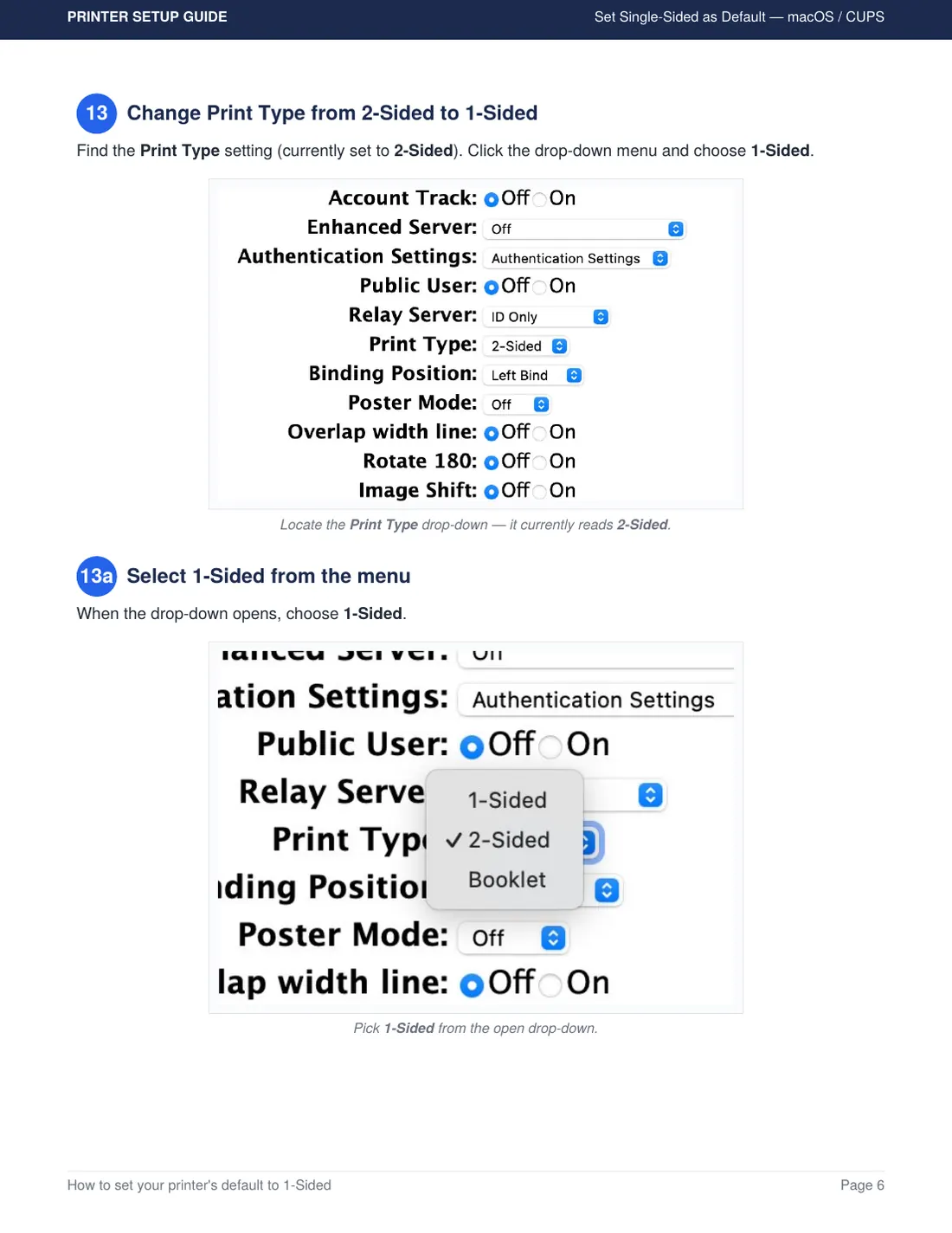
Install the print driver on a Windows 11 PC for the Konica bizhub 4752, page 1 of 3Install the print driver on a Windows 11 PC for the Konica bizhub 4752, page 2 of 3Install the print driver on a Windows 11 PC for the Konica bizhub 4752, page 3 of 3

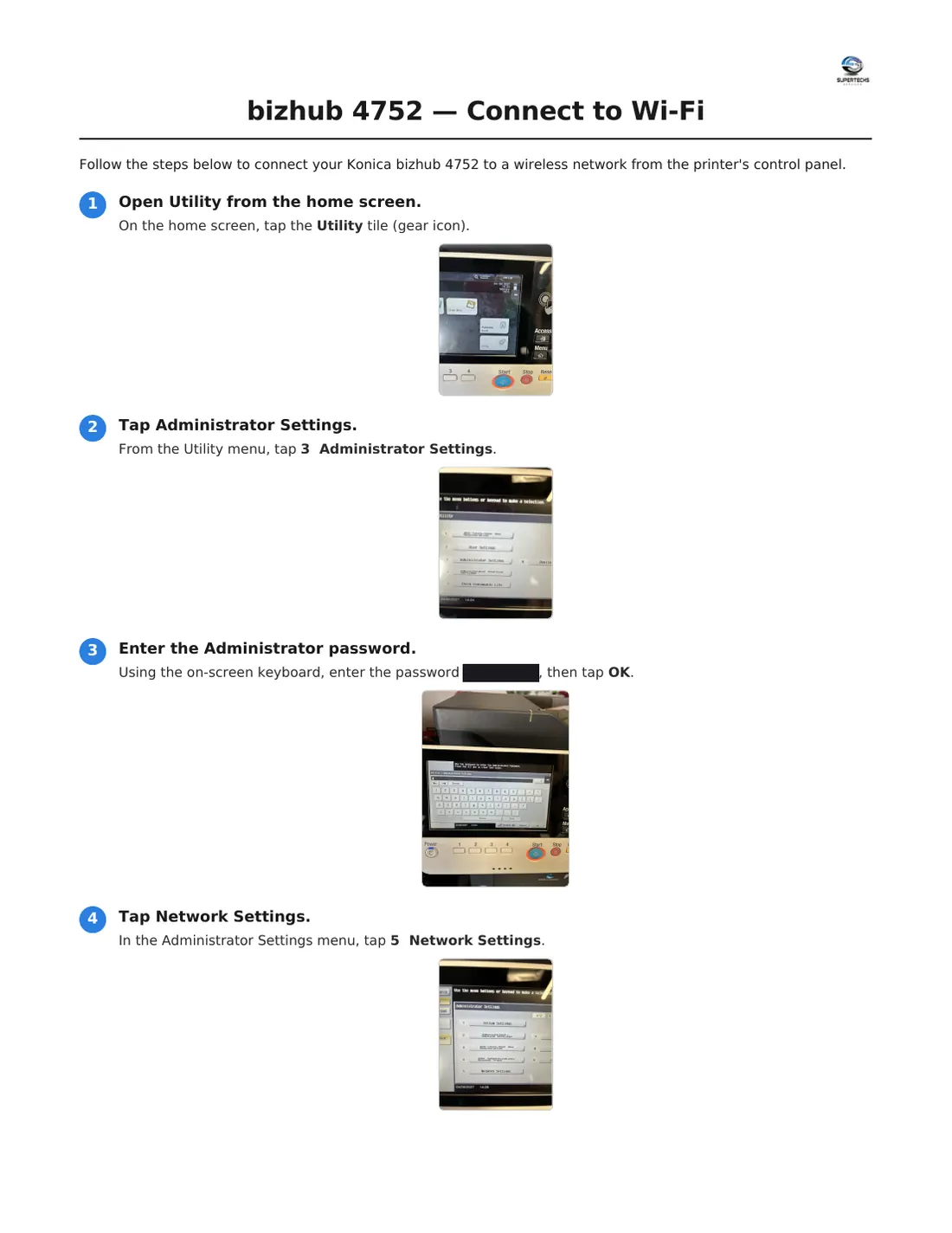
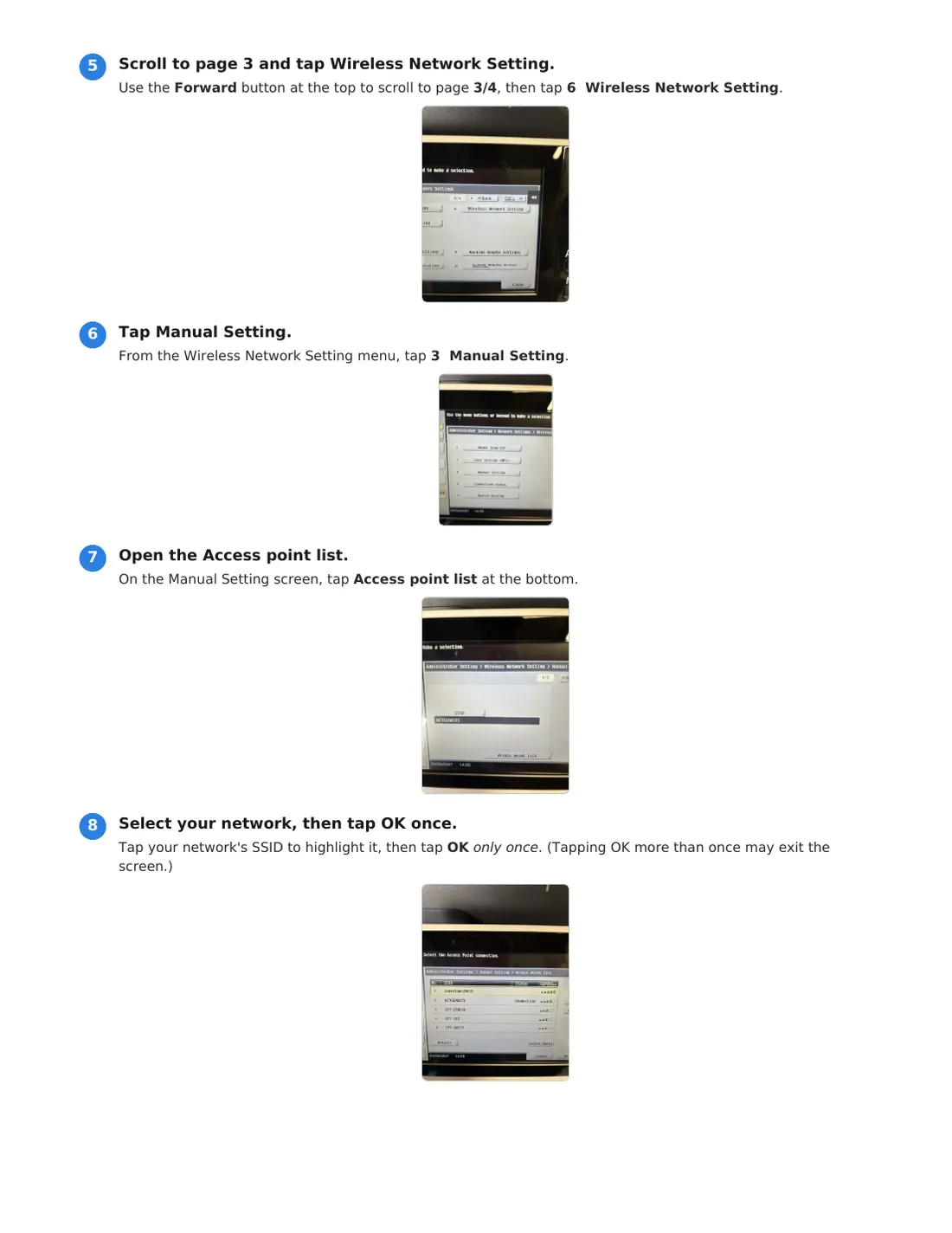
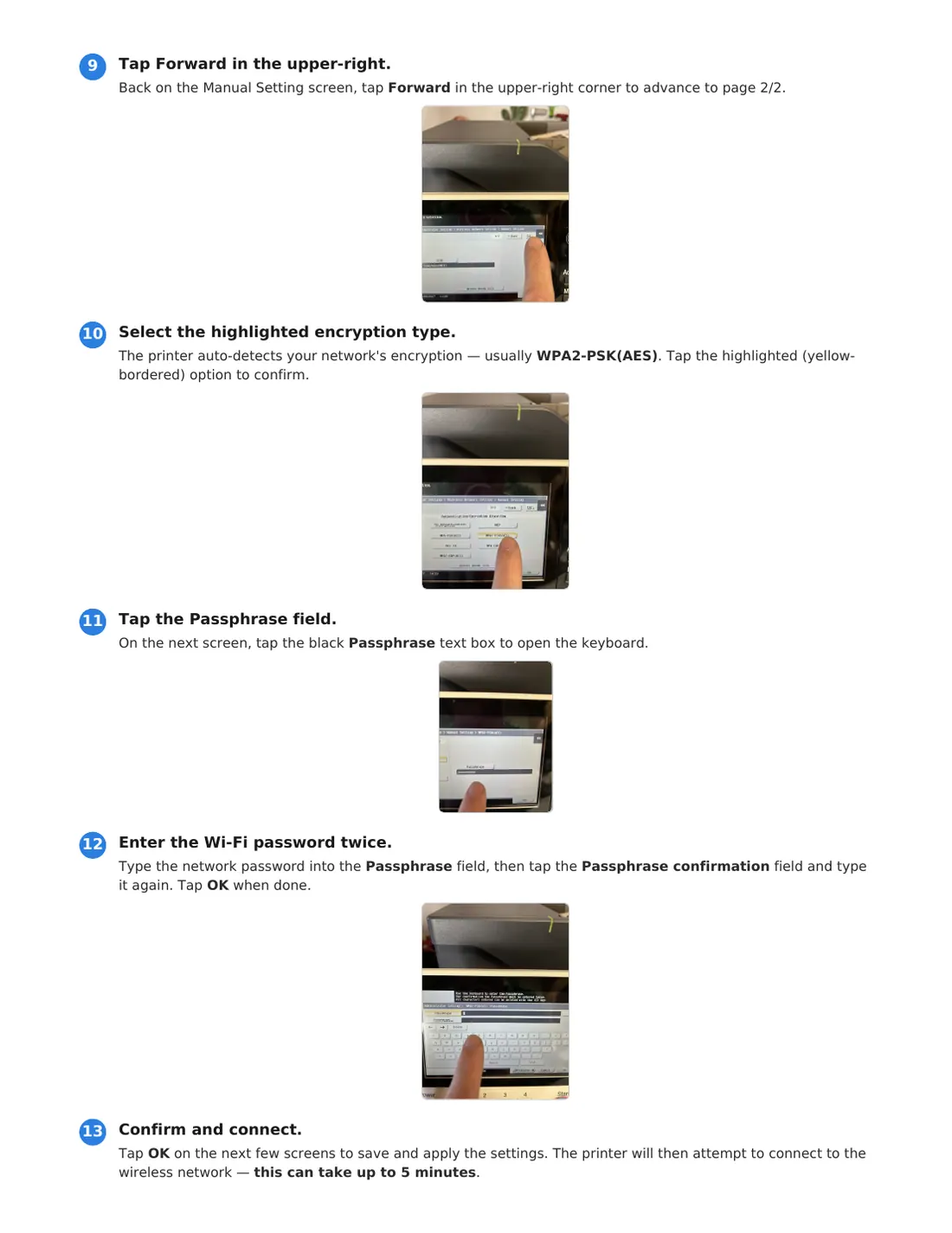
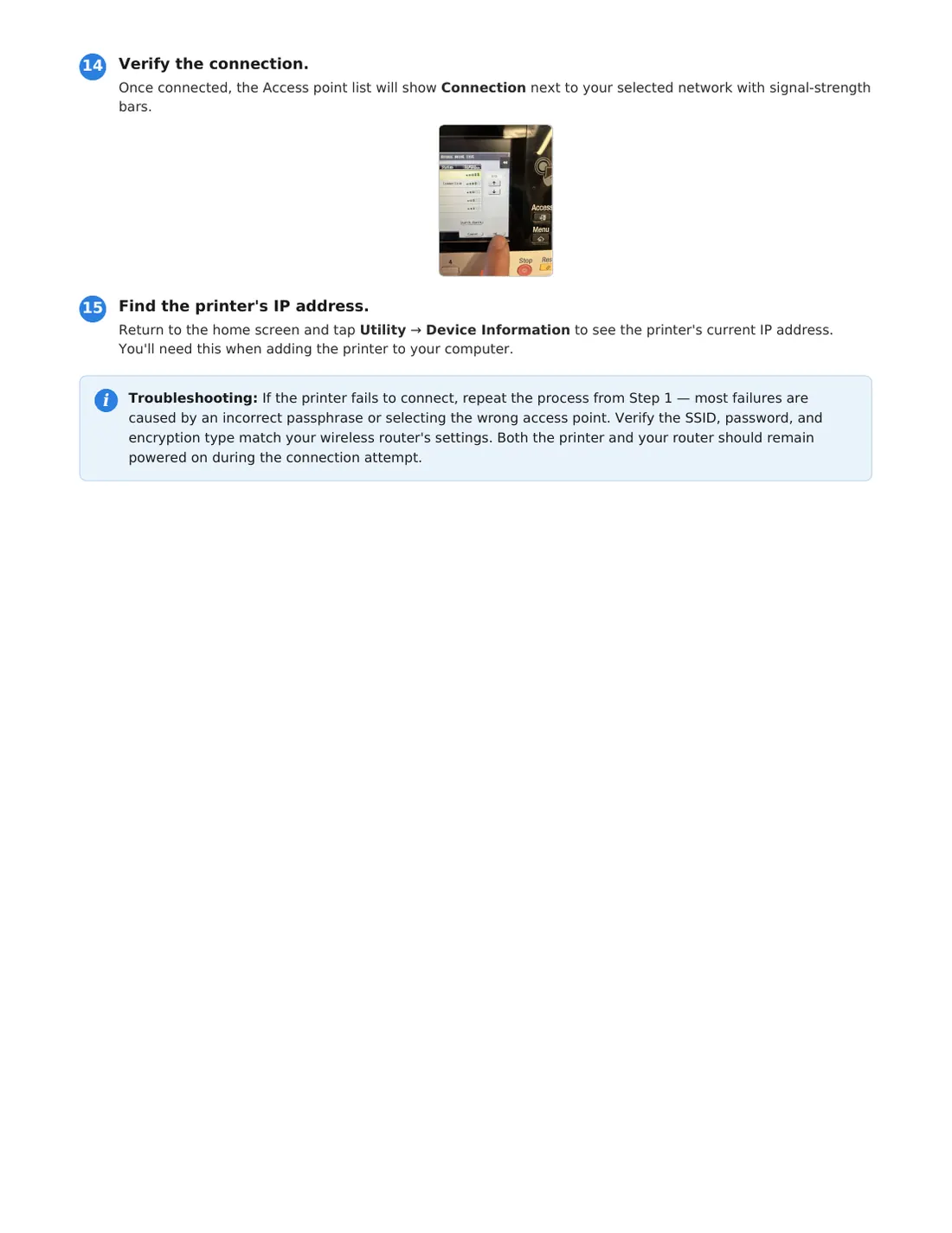
Connect the printer to Wi-Fi

Join your wireless network from the printer's touch screen, then find its IP address.

⬇ Download PDF

Tap a page to open it full size, or download the PDF.
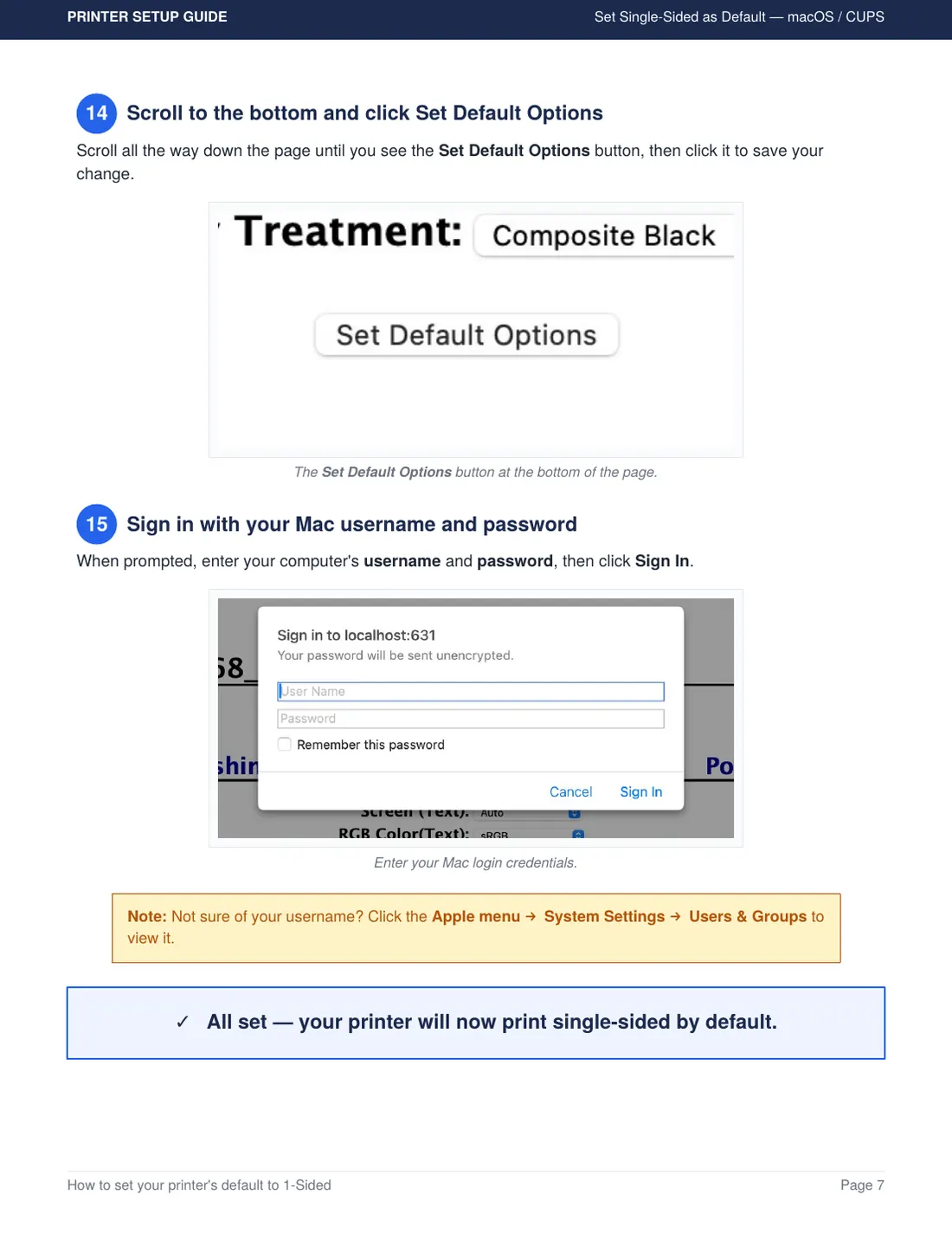
Connect the printer to Wi-Fi for the Konica bizhub 4752, page 1 of 4Connect the printer to Wi-Fi for the Konica bizhub 4752, page 2 of 4Connect the printer to Wi-Fi for the Konica bizhub 4752, page 3 of 4Connect the printer to Wi-Fi for the Konica bizhub 4752, page 4 of 4

Still Stuck? Call In the Squad.

Email us your machine model and a photo of the screen. We'll walk you through it or send a tech.

Prefer email? rentals@supertechs3.com · Rather talk? 1-877-293-2551